 EveryCafe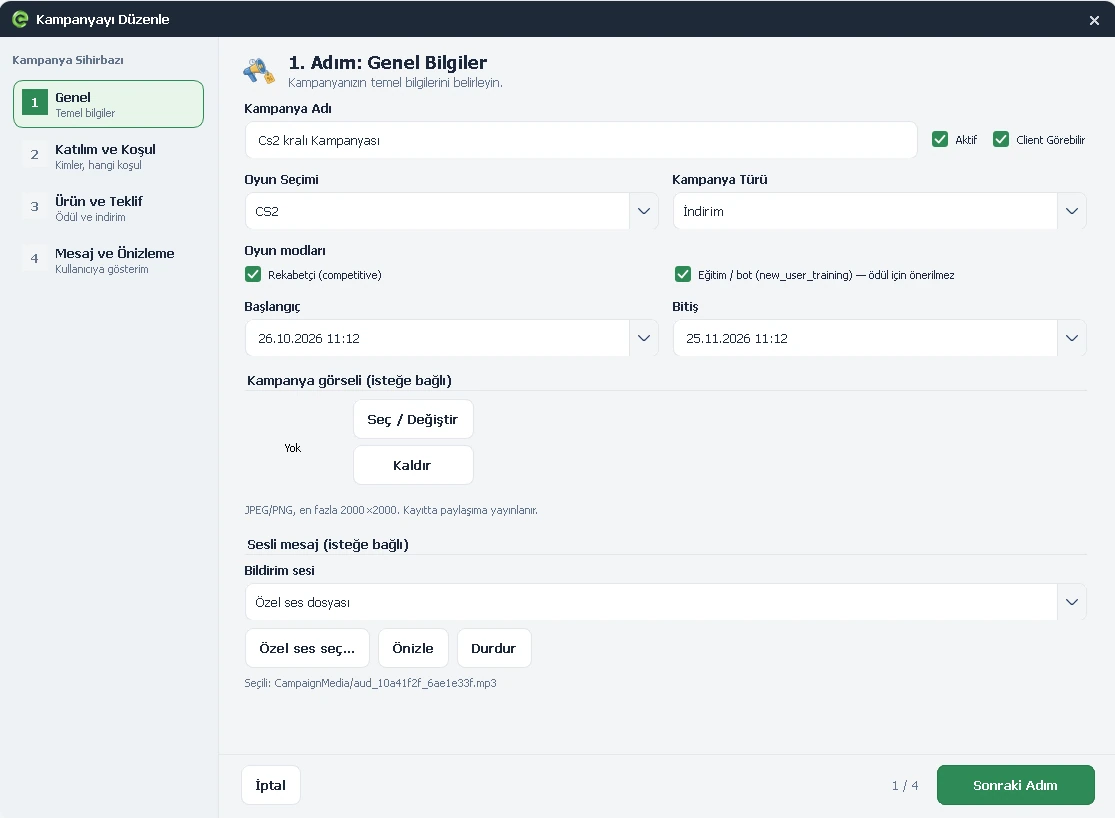
Advertising
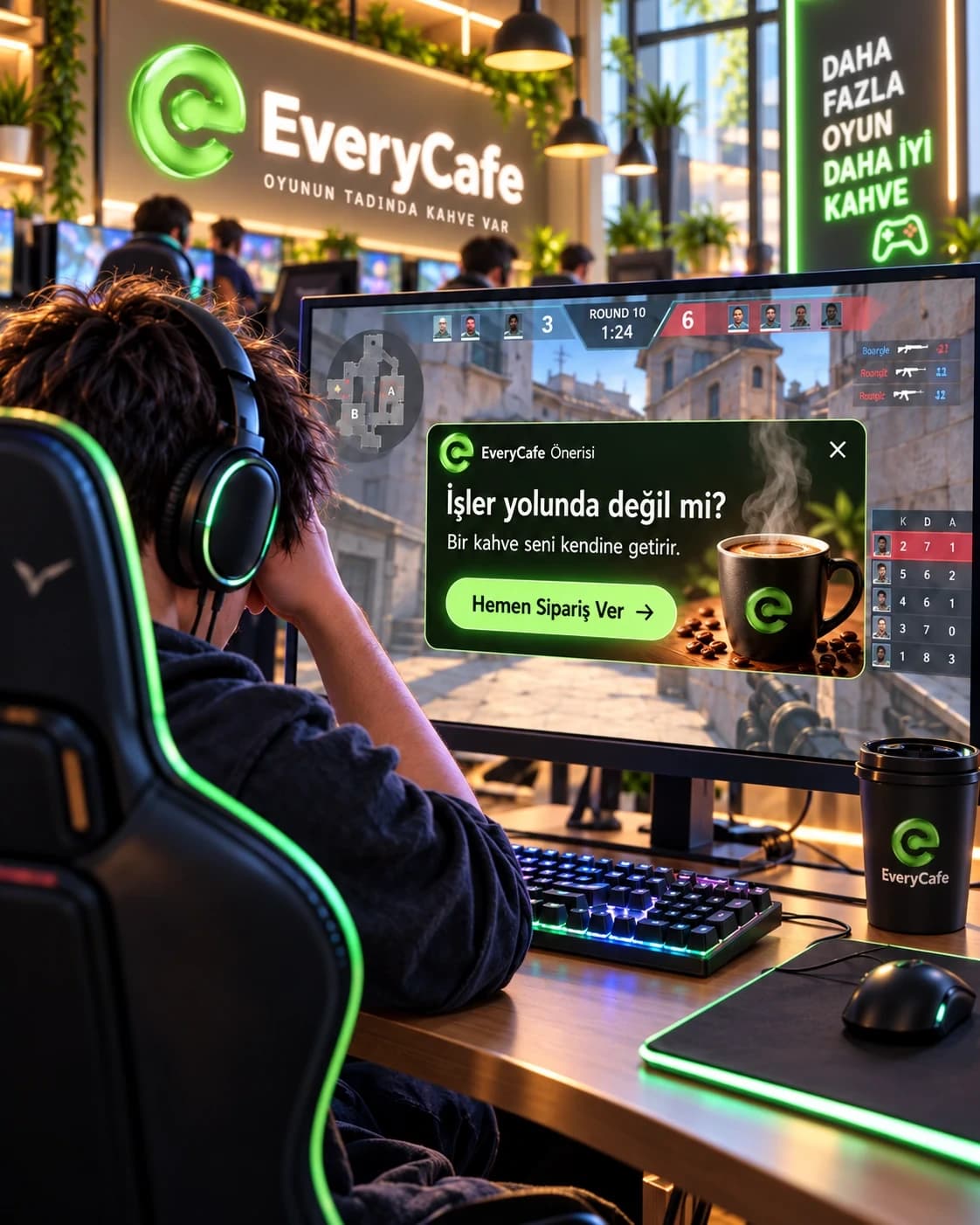
If a player has no more than three kills by round ten, show a coffee offer at the right moment. If accepted, the order is added to their account and the front desk is notified.
Round 10 · 3 kills or fewer
EVERYCAFE / GAME CAMPAIGNS
Offer players timely ads, discounts and gifts based on their achievements and in-game performance.
SECTION 01 / OVERVIEW
Turn in-game performance into a real business opportunity.
Set the objectives yourself. EveryCafe monitors permitted game data and presents the right offer when the chosen condition is met.
Create more relevant sales opportunities, reward your guests and build stronger loyalty without manually checking every match.
 View screenshot ↗
SECTION 02 / SUPPORTED GAME
Game Campaigns currently supports Counter-Strike 2 (CS2).
Use round and match performance to create goals, promotions and rewards.
COMING SOON / PLANNED INTEGRATION
We plan to expand the campaign system introduced with Counter-Strike 2 to VALORANT, enabling café rewards and special offers based on in-game achievements.
Players will join eligible campaigns after completing the required account connection and data-sharing consent.
Subject to permitted game data, kills, headshots, assists and match outcomes may be evaluated against campaign conditions.
Eligible players could receive discounts, free products or playtime and view their offers through EveryCafe Client.
Development status: The VALORANT integration is in planning and evaluation. Data access, player consent and notification behaviour will depend on platform requirements. This feature is not currently active.
A few examples
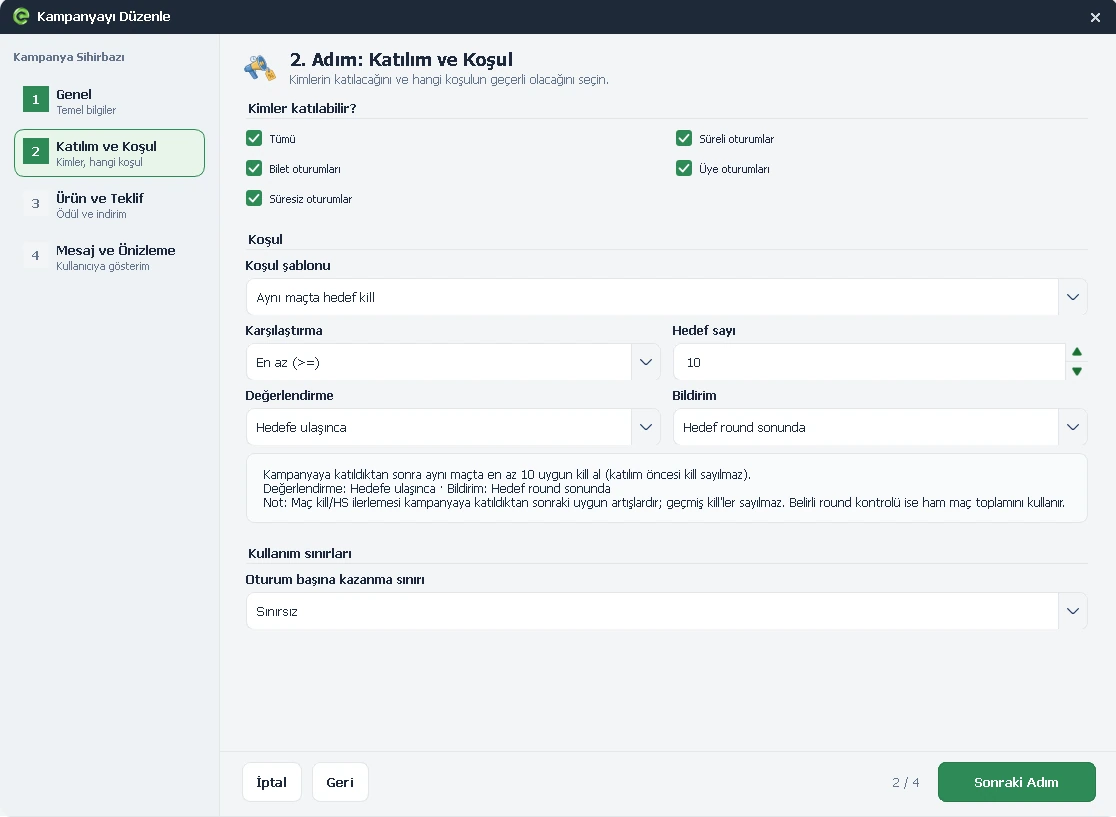
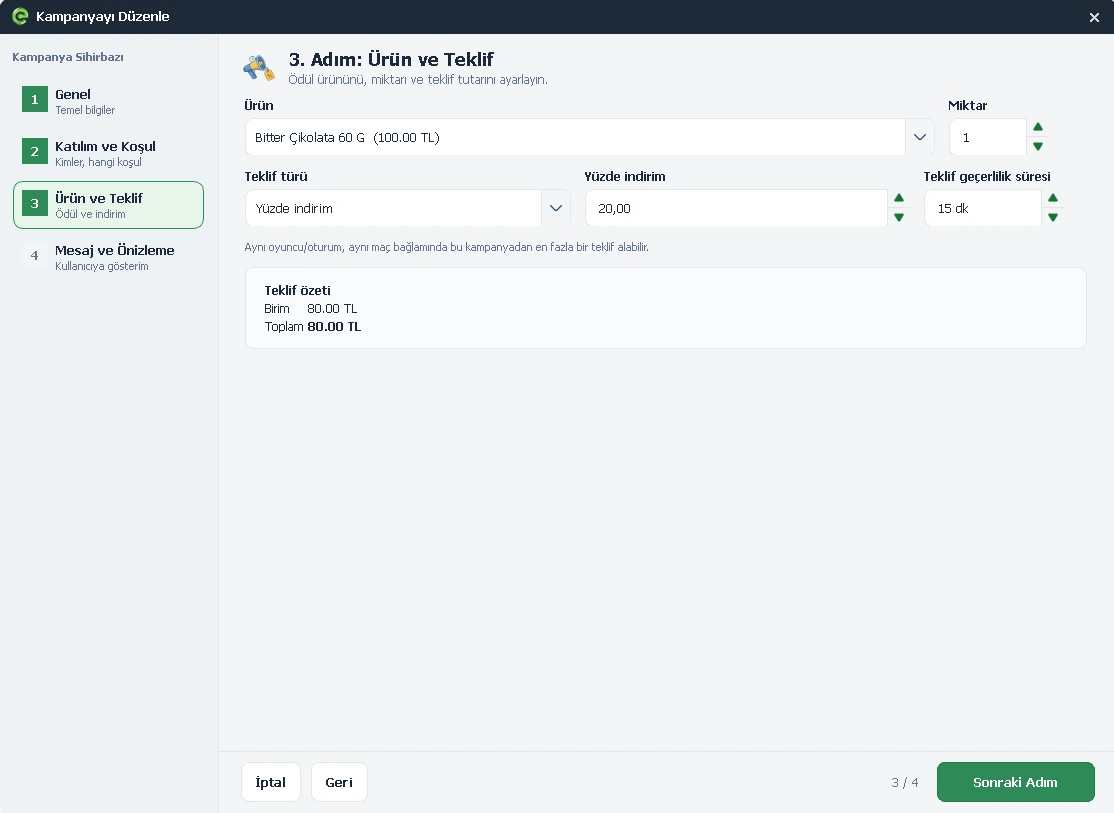
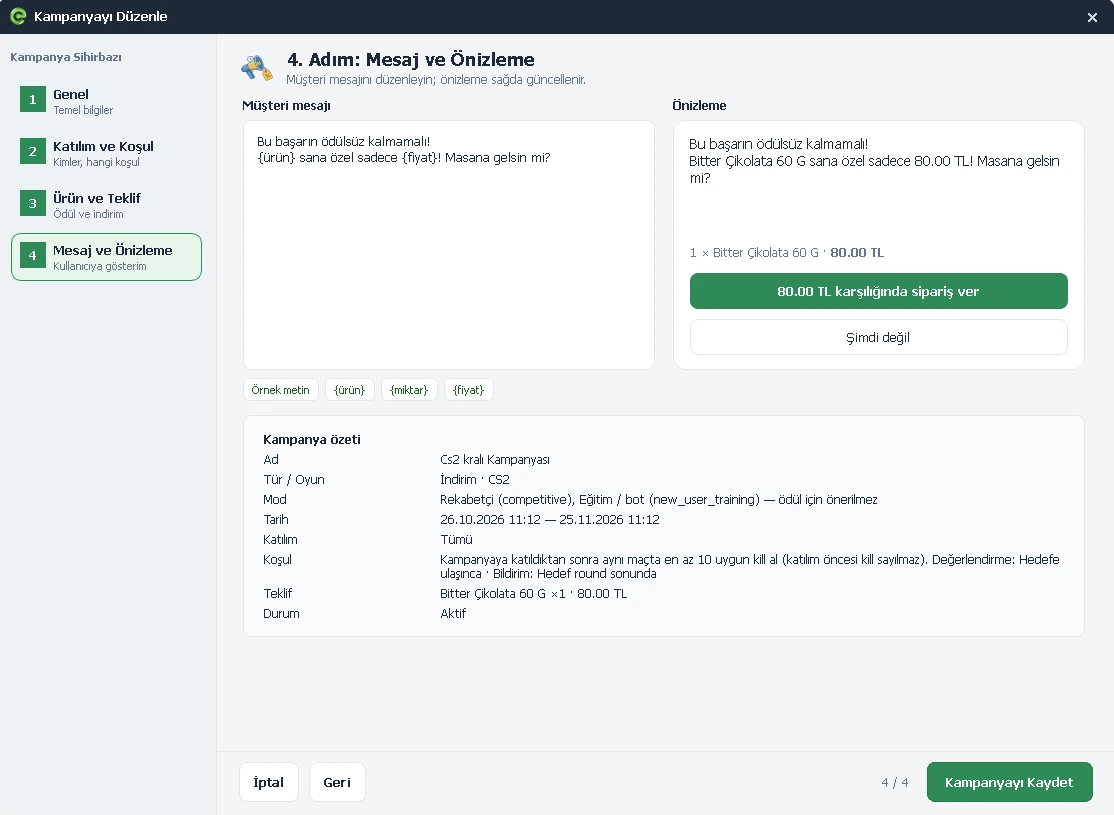
CAMPAIGN SETUP WIZARD
Select any screenshot to view it
SECTION 03 / CAMPAIGN IDEAS
Explore practical examples of advertising, discounts and gifts.
If a player has no more than three kills by round ten, show a coffee offer at the right moment. If accepted, the order is added to their account and the front desk is notified.
Reward a player who reaches at least 35 kills in one match with a special coffee price. A 100 TL item could be offered for 80 TL.
Reward a player who gets at least five kills in each of two different rounds with a free coffee. It can be served immediately or recorded for collection at checkout.
SECTION 04 / CAMPAIGN CONTROLS
Adjust each campaign to your business and player experience.
Choose which member, timed, unlimited or ticket sessions can participate.
Set an expiry period, such as 15 minutes, so players know when to claim it.
Use unlimited eligibility or a limit such as once per session to control campaign costs.
Show the challenge in advance or reveal the offer when the achievement happens.
Notify immediately, at the end of the round or after the match to avoid interrupting play.
SECTION 05 / PLAYER EXPERIENCE
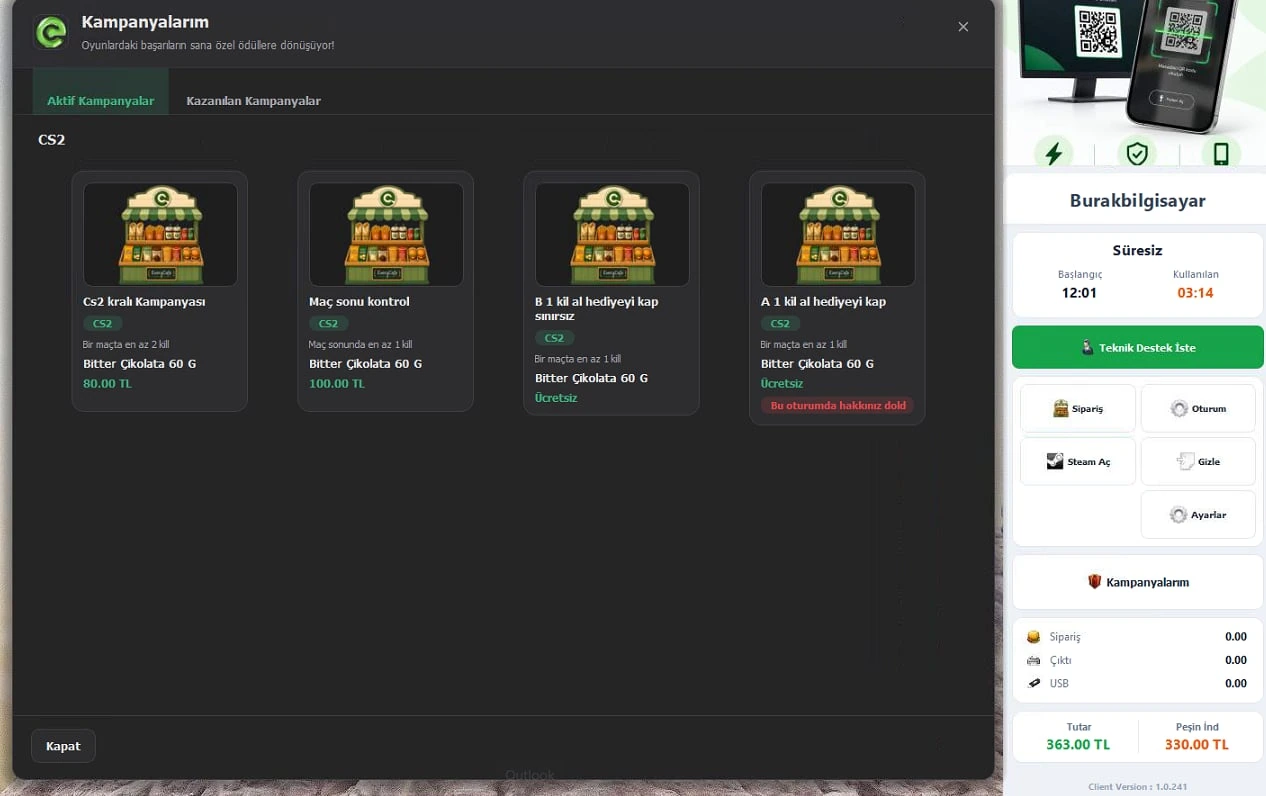
Players can open their offers from notifications or the Campaigns section of EveryCafe Client.
 View screenshot ↗
Visible opportunities available during the current session.
Unlocked offers the player can redeem before they expire.
SECTION 06 / FRONT DESK
The front desk is informed as soon as a condition is met, even if the player notification is scheduled for the end of a match.
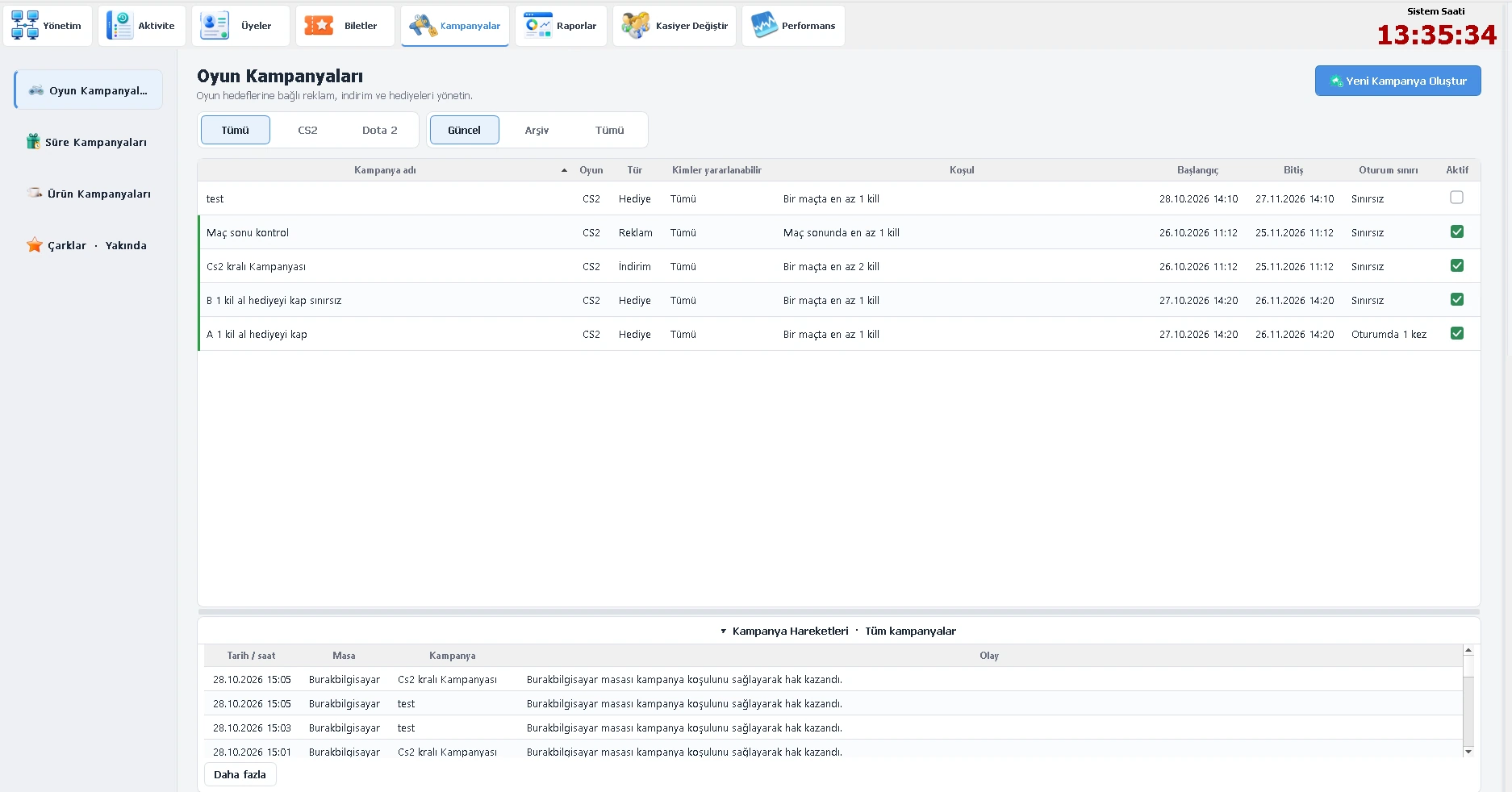
A brief alert appears when a campaign goal is completed.
Campaign actions remain available in the log.
Review activity from Campaigns → Game Campaigns.
SECTION 07 / SALES & REPORTING
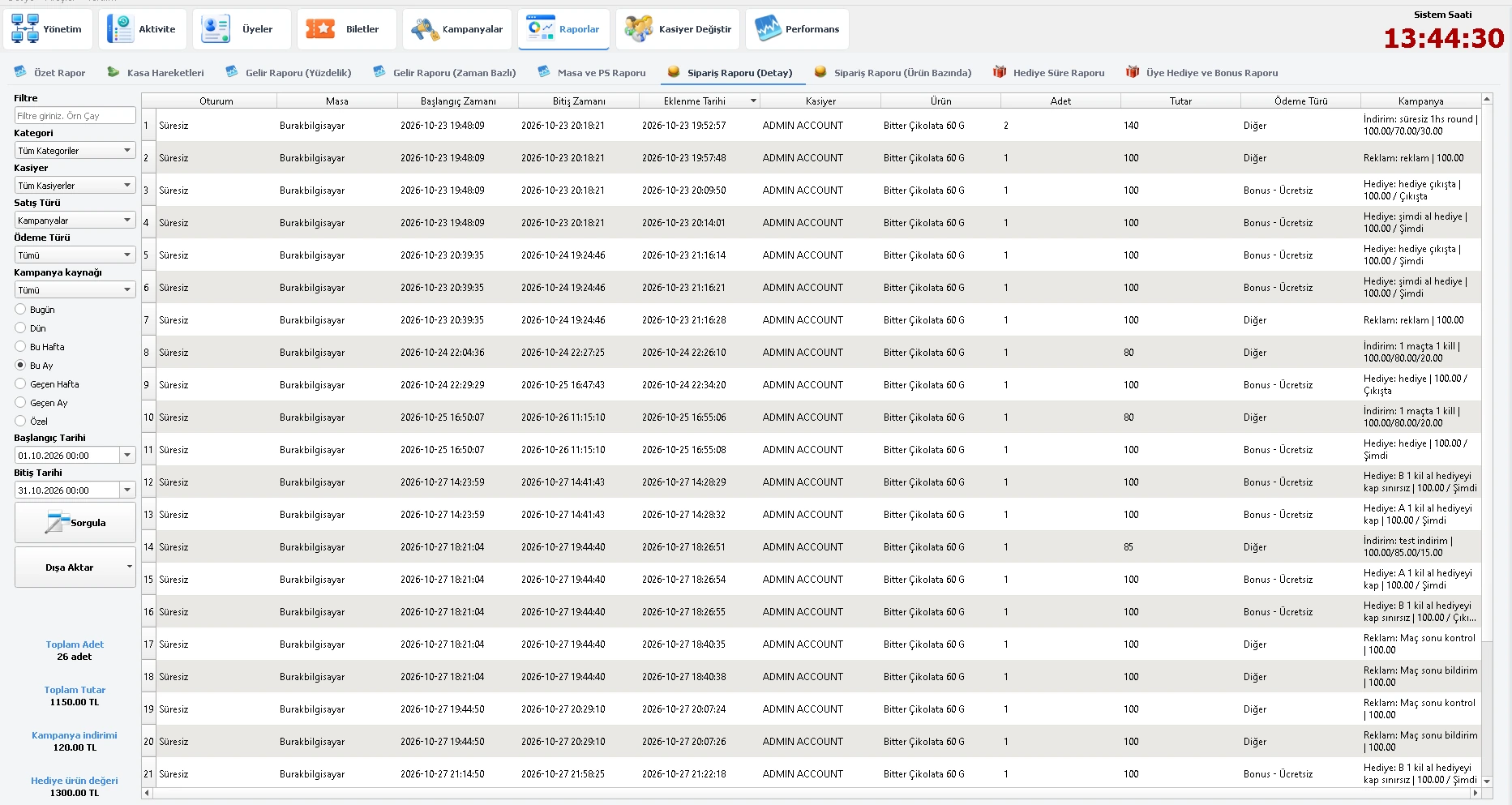
Open Order Reports and select Campaigns in the Sales Type filter to review products sold and gifts redeemed.
Reports → Order Reports
 View screenshot ↗
EVERYCAFE GAME CAMPAIGNS
Give players a more rewarding experience while creating new sales opportunities for your gaming center.