 EveryCafe
Internet Cafes
Bring desk tracking, session time, rates, cashier activity, orders and daily business movements into one management screen.
EVERYCAFE MANAGER
Run daily operations for internet cafes, gaming centers, schools, cafes and restaurants from one place—from PC and console sessions to desks, orders, inventory, members, balances, payments and reporting.
GET STARTED
Enter your business details to continue directly to the existing EveryCafe download flow.
WHO IS IT FOR?
EveryCafe Manager brings daily operations into one management layer for internet cafes, gaming centers and game lounges, schools, cafes and restaurants.
Bring desk tracking, session time, rates, cashier activity, orders and daily business movements into one management screen.
Control console and desk-based session times, different pricing models, orders and payment flows in one place.
Manage orders, table bills, inventory and payment processes centrally through EveryCafe Manager.
Monitor devices, usage time and user activity across computer labs, study areas and shared access points from one place.
LIVE OPERATIONS
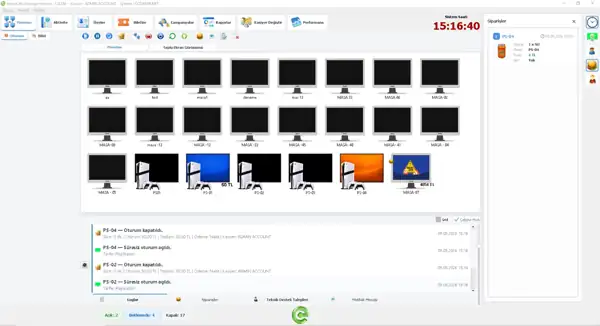
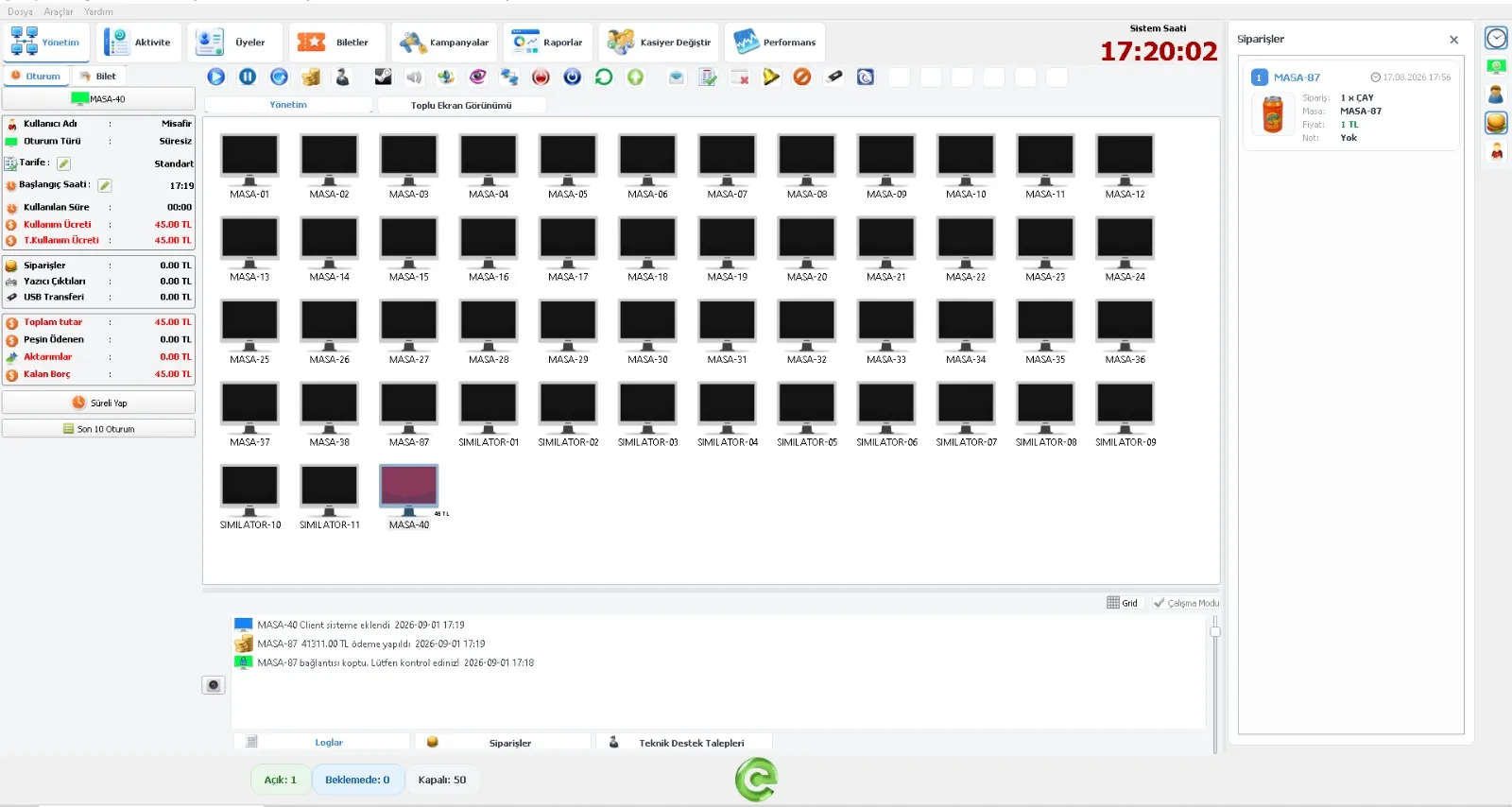
EveryCafe Manager is the center of daily operations. It connects device and session management with desks, orders, inventory, members, revenue and payments in the same management layer.
MANAGEMENT TOOLS
EveryCafe Manager lets you centrally manage not only your business’s sessions, but also its devices, rates, members, sales, security, and reporting. It brings the tools you need for daily operations together in a single management panel.
Track active devices, desks and usage status across your business from one screen.
Manage sessions, time, rates, pricing, and ticket processes centrally.
Manage orders from desks and devices together with inventory and payment processes in the same operational flow.
Track customer accounts, balances and usage activity centrally.
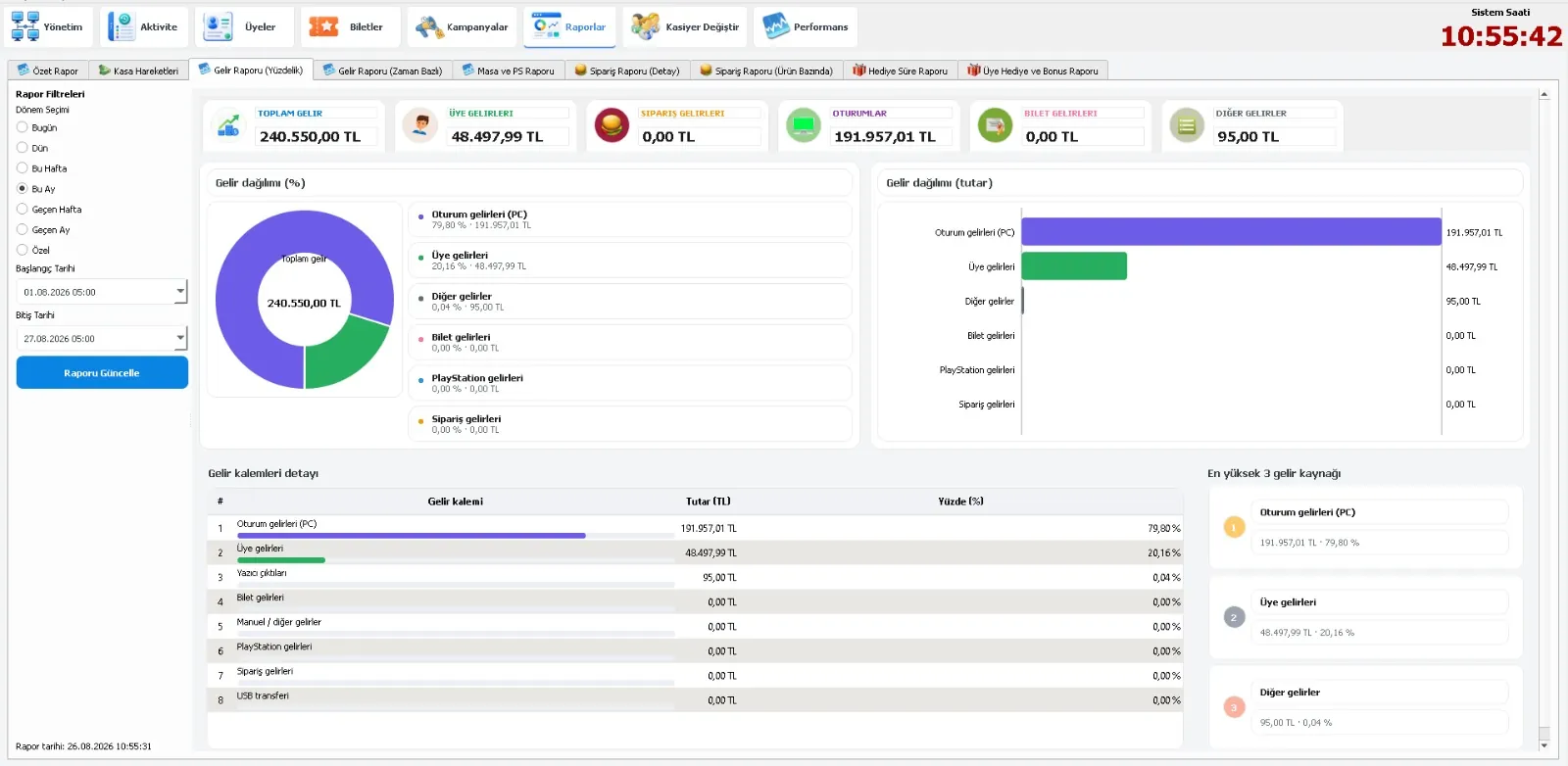
Monitor revenue sources, device performance and period-based business data with clear reports.
Centrally control security rules and cashier permissions.
Manage backup and integration tools under one system.
FREQUENTLY ASKED QUESTIONS
Find answers to common questions about EveryCafe Manager setup, usage, licensing and technical features.
Internet cafe management software is business software used to manage customer PC and console sessions, usage time, rates, members, orders, inventory, payments and reporting from a central panel.
EveryCafe is suitable for internet cafes, gaming cafes and gaming centers, esports venues, PlayStation cafes and game lounges. Its table, ordering and payment features also support cafe and restaurant operations.
Yes. EveryCafe Manager lets you track PC, PlayStation, console and table-based usage areas on the same management screen and apply time and rate rules for different devices and usage models.
Copy the license code sent to your email after purchase. In EveryCafe Manager, open Help > License, paste the code into the relevant field and click Add. After the license information is added, close and reopen Manager to complete activation.
Yes. In EveryCafe Manager you can define 5 different price labels, apply different rates by day of the week and time range, and create unlimited new rates. The hourly/night-rate feature works with open-ended sessions; Manager must be restarted after changes.
In EveryCafe Manager, you can easily create a sharing folder by using the “Paylaşım Klasörü Oluştur” option under Oturum Ayarları > Stok Ayarları. This folder lets you share inventory images with Client computers, centrally change waiting-screen images, send voice messages to Client desks, and generate the QR codes used to sign in.
Open detailed documentationIn EveryCafe Manager, you can create separate cashier accounts for your staff, define their permissions, and manage cashier shift changes in a more controlled way.
Open detailed documentationStart using the EveryCafe ecosystem in your business, review licensing options or begin your Manager setup.