 EveryCafe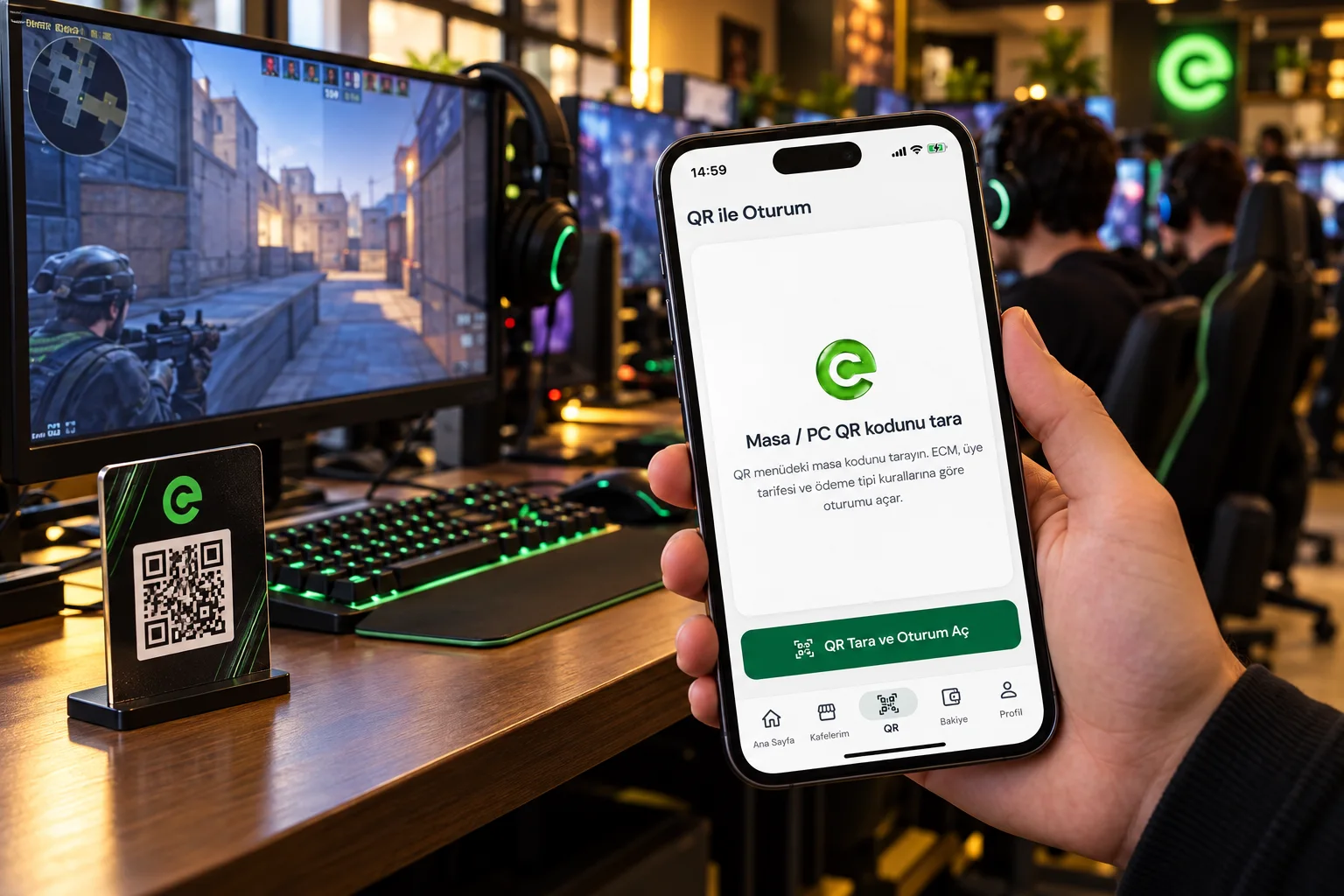
“Can you open PC 12 for me?” It is a familiar request at any internet cafe. One customer needs a session started, another needs credit, and the cashier is juggling several jobs. What if returning members could start from their own phone? With EveryCafe Go!, they sit at a computer, scan its QR code and request a session. Depending on the cafe’s settings, play starts immediately or after cashier approval.
How does QR code session login work?
EveryCafe Go! is a mobile app that lets registered internet cafe customers manage sessions and account credit. QR session login reduces the need to ask the counter to activate a PC on every visit.
The member signs in to EveryCafe Go!, goes to an available computer and scans the QR code at that station in the app. The code links the request to the right PC. According to the operator’s settings, the session starts directly or waits for cashier approval.
- Sign in with your member account.
- Scan the QR code at the computer.
- Start automatically or after cashier approval.
Less time at the counter, without giving up control
Not every visitor needs the same help. Some are registering for the first time, others need credit, and regulars simply want to start a computer. Moving repeat actions to a mobile app frees staff to help new customers, handle orders and keep the counter moving.
The operator remains in control. QR requests can be approved automatically or routed to the cashier first. The feature adapts to how your cafe operates.
Balance checks and online top-ups from the phone
Members can view their available balance, session history and account activity in EveryCafe Go!. When a supported online payment integration is enabled, they can also add credit with a payment card.
Imagine a regular checking their balance before leaving home, topping up if needed, then scanning a QR code at the PC when they arrive. Those are fewer separate visits to the counter.
Do existing members need to register again?
No. EveryCafe Go! integrates with the existing EveryCafe Manager membership system. After the cafe is added to EveryCafe Web Panel and members are transferred from Manager, users can sign in with their existing username and password.
Members of more than one EveryCafe location can see their cafes in one app and track their balances for each location separately.
Frequently asked questions about QR login
The main points for customers and operators.
How do I start a PC using a QR code?
Log in to EveryCafe Go! and scan the station’s code. The session starts immediately or after cashier approval, according to cafe settings.
Is a normal phone camera enough?
No. Session login uses the EveryCafe Go! app and a member account. Scanning the code with a standard camera alone does not start an account session.
Must every request be approved by a cashier?
No. The cafe can allow immediate start or require cashier approval.
Can members top up their balance?
Yes, when the cafe has enabled a supported online payment integration.
Do regular members need a new account?
No. Once existing members are transferred to Web Panel, they can sign in with their current credentials.
Fewer routine steps, a quicker start to every game
Sometimes the most useful improvement is simplifying an action repeated dozens of times per day. QR login, account information and optional online top-ups can make visits easier for members and counter work smoother for staff.
Let the customer sit down ready to play. Explore EveryCafe Go! and the setup guide to see how it fits your cafe.
RELATED EVERYCAFE PAGES
Let members sit down and get into the game.
Explore EveryCafe Go!