 EveryCafe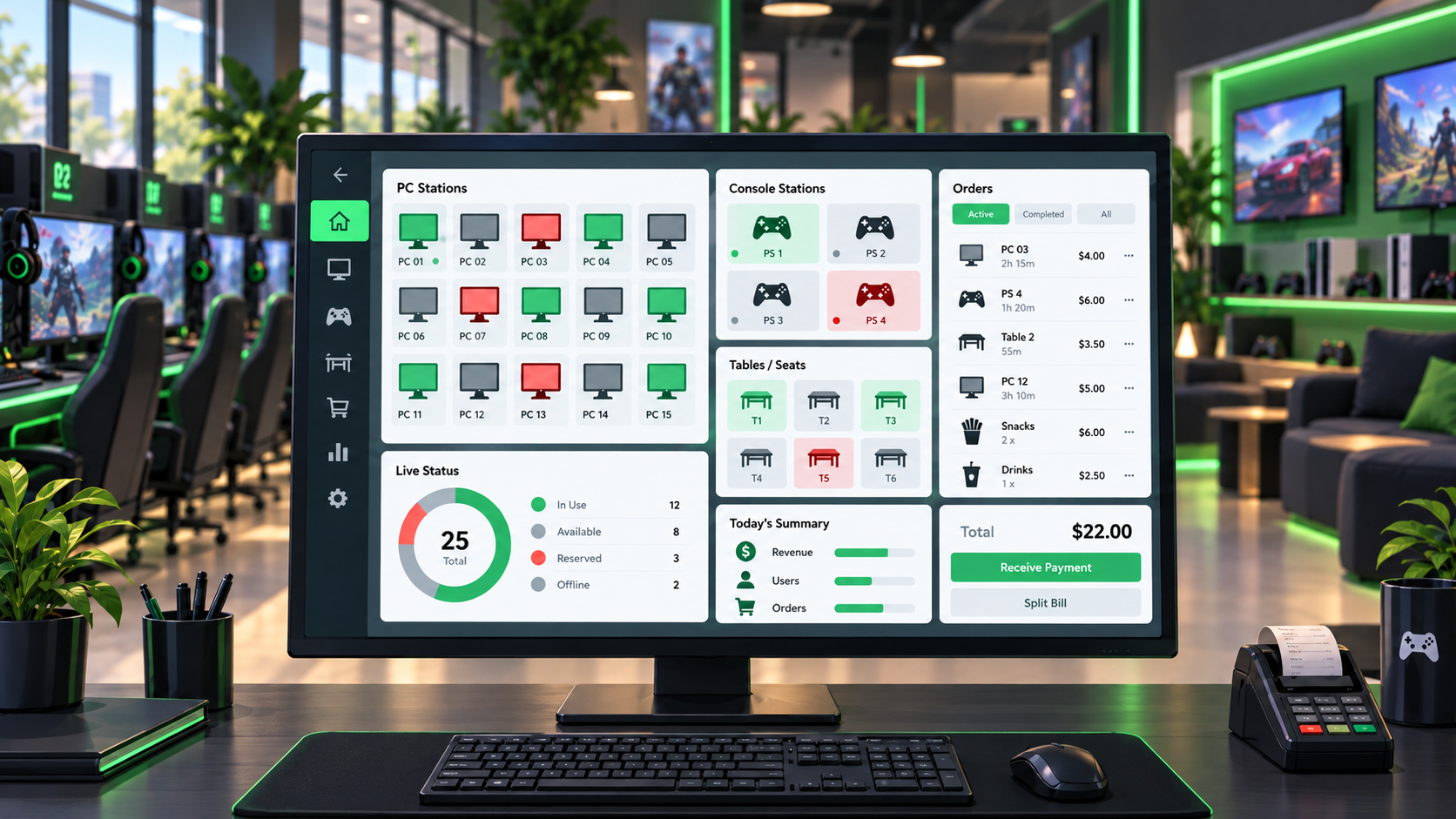
Key criteria for choosing internet cafe software, from PC, PlayStation, and table management to member transfers, POS, QR Menu, ordering, and data protection.
1. It should provide genuine central management
Internet cafe software should do more than start and stop time. You should be able to manage PC sessions, PlayStation areas, tables, rates, members, orders, and till activity from the same operational view wherever possible.
Switching between tools during a busy shift wastes time and raises the risk of errors. During a demo, follow a real shift in order: start a session, place an order, take payment, move a table, and review the shift report. See how well those steps connect.
- PC and PlayStation session management
- Table and seat tracking
- Rate and package management
- Orders, checkout, and payments
- Reporting and transaction history
2. Member management and migration matter
Member records, balances, groups, and past activity are valuable operational data. When changing software, being able to move those records instead of rebuilding them should be part of the decision.
If you use PanCafe or Akınsoft CafePlus and plan to migrate without losing records, EveryCafe supports member and balance transfers.
3. POS and payment integration should be part of checkout
Entering a card total first in the management software and then again on the terminal takes time and can cause mistakes. Device-level POS integration can make a practical difference at checkout.
EveryCafe integrates with inPOS M530, Beko 300TR, Beko X30TR, and Hugin S1. Split payment support lets you close one bill with methods such as cash and card; it is particularly useful for group bills.
Support for iyzico, PayTR, and Stripe may also broaden the options available for mobile balance top-ups and digital orders.
4. In-venue and online orders should share a clear flow
If you sell food and drinks, customers should be able to order from a PC or by scanning the table’s QR code. Orders need to reach the front desk and kitchen within the same system; thermal printers and kitchen tools can help the flow move faster.
Online ordering through your own web channel may provide another way to take orders. Service area, minimum basket, delivery fee, opening hours, and payment on delivery can be managed in the same panel. This is your own ordering flow, not a marketplace or courier network.
EveryCafe Go! lets members check their balance, top up by card and, where supported, start a session by scanning the QR code at a station.
5. Review security, performance, and product development together
Member records, balances, rates, and business history need protection. Cloud backup, detailed logs, roles, and permissions affect how quickly you can recover from a problem.
Also review hardware monitoring, remote management, and email or mobile notifications. Regular updates matter when adapting to new POS devices, order channels, and customer expectations.
Good internet cafe software should bring PC, PlayStation, table, member, order, and payment work into one place while remaining ready for channels you may add later.
RELATED EVERYCAFE PAGES
If you need a more connected way to run the venue from one screen, review EveryCafe Manager.
Explore EveryCafe Manager