 EveryCafe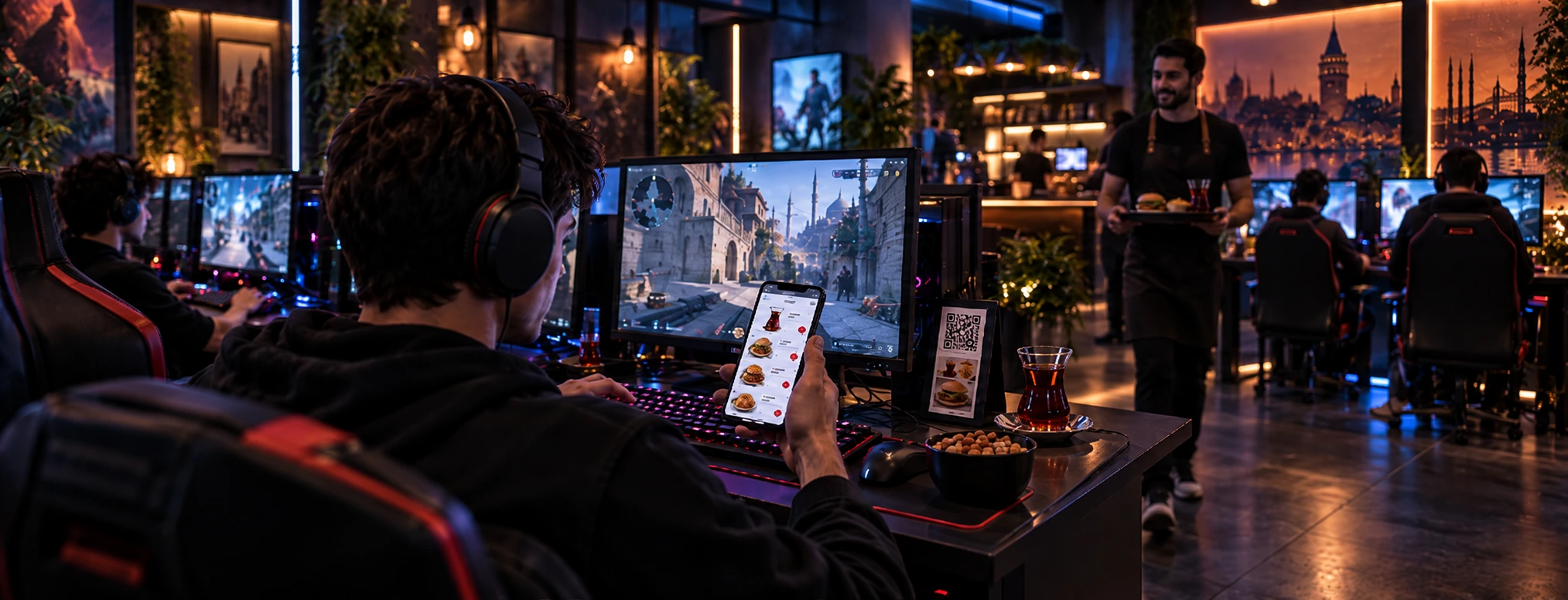
See how customers at PC, simulator, or PlayStation tables can order without interrupting play and send requests to EveryCafe Mutfak.
What does QR Menu add to the operation?
During busy hours, customers do not want to leave a game or video to order. Staff cannot always visit every table, and PlayStation or simulator tables may not have the PC Client order screen. A table-specific QR code lets customers open the menu and order from their phones. QR Menu is therefore part of ordering and service, not just a digital version of a printed menu.
When categories, products, and prices are updated centrally, customers see current options. The order record includes its table or service point, so the team can plan delivery without asking again.
Customers do not have to wait for a staff visit, while the service team tracks incoming orders in one place instead of continually checking tables. This does not replace staff; it is an additional order channel that can help them plan time.
Order without interrupting the game
A PC customer can open the menu on a phone instead of closing a game or video. A simulator customer can browse and order without leaving the seat. This small step can noticeably reduce interruptions.
Clear categories, clear product photos, and current prices are easier to use than a long list. A table-specific code includes the correct table information with the order, so staff do not have to search the venue for the customer who placed it.
How does it address ordering at PlayStation tables?
PlayStation tables may not have the usual PC Client order screen. Customers may otherwise pause play and search for staff, and a request can be missed in a busy venue.
The table-specific QR code opens a practical order channel on the customer’s phone. Because the code is associated with the table, the order is assigned correctly. There is no technical integration with PlayStation; the match is made through the table’s QR code.
Can QR Menu increase orders?
Customers may be more likely to order when they can easily see what is available and do not need to wait for staff. Still, QR Menu alone does not guarantee any sales increase.
Simple categories, clear product images, and visible popular items may make decisions easier. Measure any effect through order, sales, and product performance data rather than assuming it.
Your QR Menu can also be used outside the venue
You can share the QR Menu link. Where supported, customers can browse and place an online order while outside the venue, and the business can manage it in its existing order flow.
Minimum order and delivery settings can be adjusted to the service model. This is not a marketplace or courier network; it is for managing the venue’s own online orders.
The order arrived—how does the kitchen see it?
Taking an order is only the first step. The kitchen must see what to prepare and for which table. A QR Menu order can be sent with its table information to EveryCafe Mutfak, keeping communication between front desk and kitchen organized.
Order details appear on the kitchen screen, reducing verbal handoffs and the risk of misunderstanding or delay. Service can check the same record for the correct PC, simulator, or PlayStation table.
QR Menu is more than a digital product list. It connects customer, table, order, and kitchen while supporting the different ordering needs of PC, simulator, and PlayStation tables.
RELATED EVERYCAFE PAGES
See how QR Menu can fit your table, order, and kitchen workflow.
Explore EveryCafe QR Menu