 EveryCafe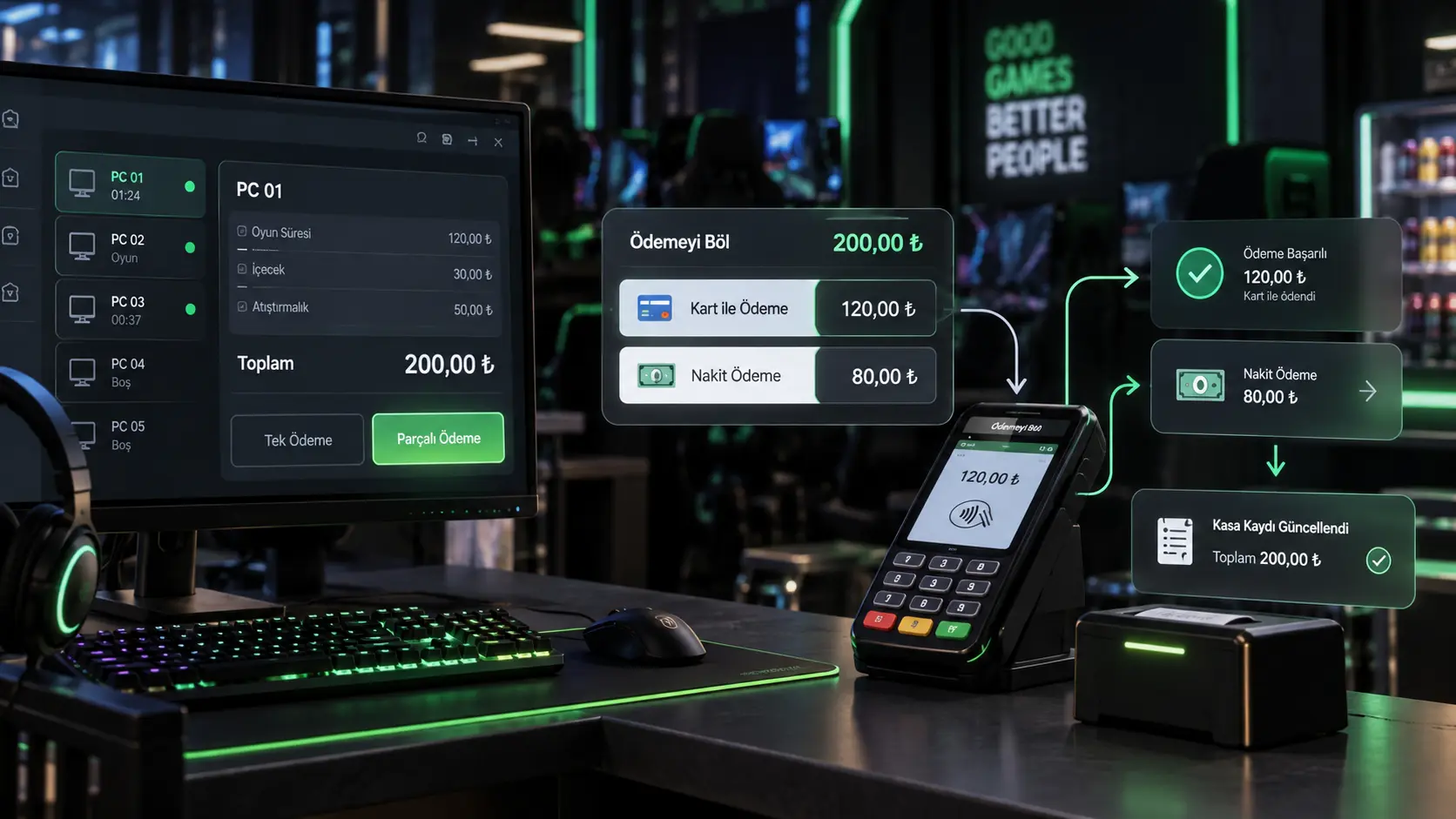
How to record cash, card, and split payments correctly so checkout stays fast and end-of-day reconciliation remains clear.
How is a table bill split between cash and card?
A table bill may combine session time with food and drinks. If the customer wants to pay part in cash and the rest by card, the cashier must close the bill without delaying the queue or confusing the amounts.
That is the purpose of split payment: a single table bill can be settled using multiple payment methods. Instead of subtracting cash manually and recalculating the card amount, the cashier records each part with its own method on the checkout screen.
Why should cash and card be recorded separately?
Closing the full bill is not enough. The cash portion must be recorded as cash and the card portion as card. EveryCafe’s split-payment screen allows a different method for each part.
Total takings and their payment-method breakdown are separate figures. Cash records are compared with money in the till, while card records are checked against POS activity. Correct methods make any difference easier to investigate.
POS integration and split payment are not the same operation
On supported devices, POS integration can send the amount from EveryCafe to the terminal and return the result to checkout. It may reduce separate entry of the card amount; support depends on the POS model in use.
Split payment divides a table bill across methods such as cash and card. After the cash part is recorded, the remaining card amount may be sent through a supported POS flow. One divides the bill; the other handles how the card payment moves through the terminal.
How are payment records checked at the end of the day?
When collections use the correct method, cash and card remain separately traceable in till activity and existing reports. Staff can rely on the transaction record rather than relying on memory after closing several tables in succession.
At day end, compare physical cash with cash records, then compare POS activity with system card records. If one bill used two methods, each part remains under its own type, so the check follows actual collections rather than only the bill total.
RELATED EVERYCAFE PAGES
Keep checkout moving while maintaining clearer till records.
Explore POS integration