 EveryCafe
VERSION UPDATES
EveryCafe Smart Business Management Platform Version 1.0.237 Updates and Fixes
EveryCafe Release Notes
Dear EveryCafe Users,
We continue working to make EveryCafe more accessible, faster and more comprehensive for businesses in different countries.
To use all features and improvements in the new release without issues, it is important to update both EveryCafe Manager on the main computer and EveryCafe Client on customer computers.
✨ New Features and Improvements
1-) EveryCafe Now Supports 10+ Languages
EveryCafe’s multilingual infrastructure has been expanded so the application can be used in different countries and languages.
With the new release, 10+ languages are supported, including Turkish, English, Azerbaijani Turkish, Russian, Georgian, Bulgarian, Spanish, Korean, Japanese and Chinese.
The default language of Client computers can be set through EveryCafe Manager. In addition, users can choose a different language for themselves from the Client waiting screen or Client panel and use the application in their preferred language.
Users who want to use EveryCafe in a language other than the available options can also create and add their own language packs.
With this structure, custom language packs can be used without waiting for a new program release whenever EveryCafe needs to be adapted to a new language.
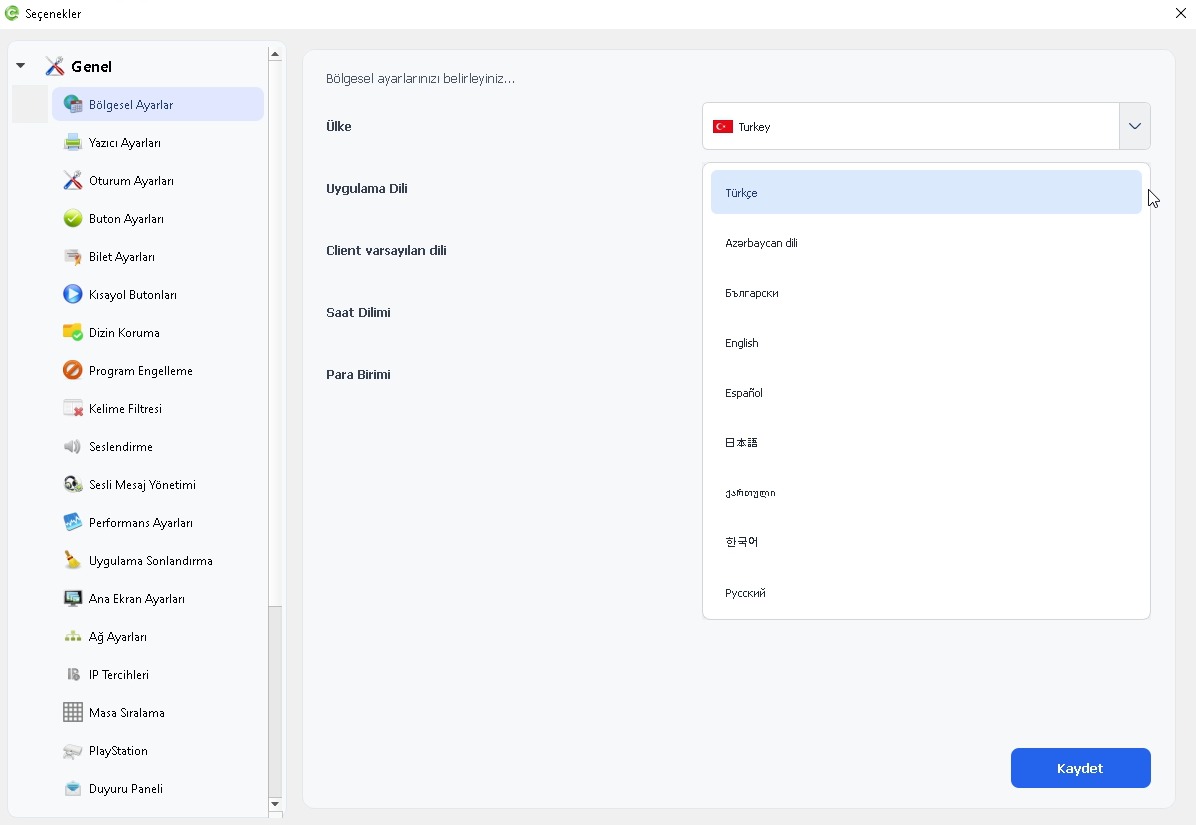 EveryCafe Smart Business Management Platform Version 1.0.237 Updates and Fixes
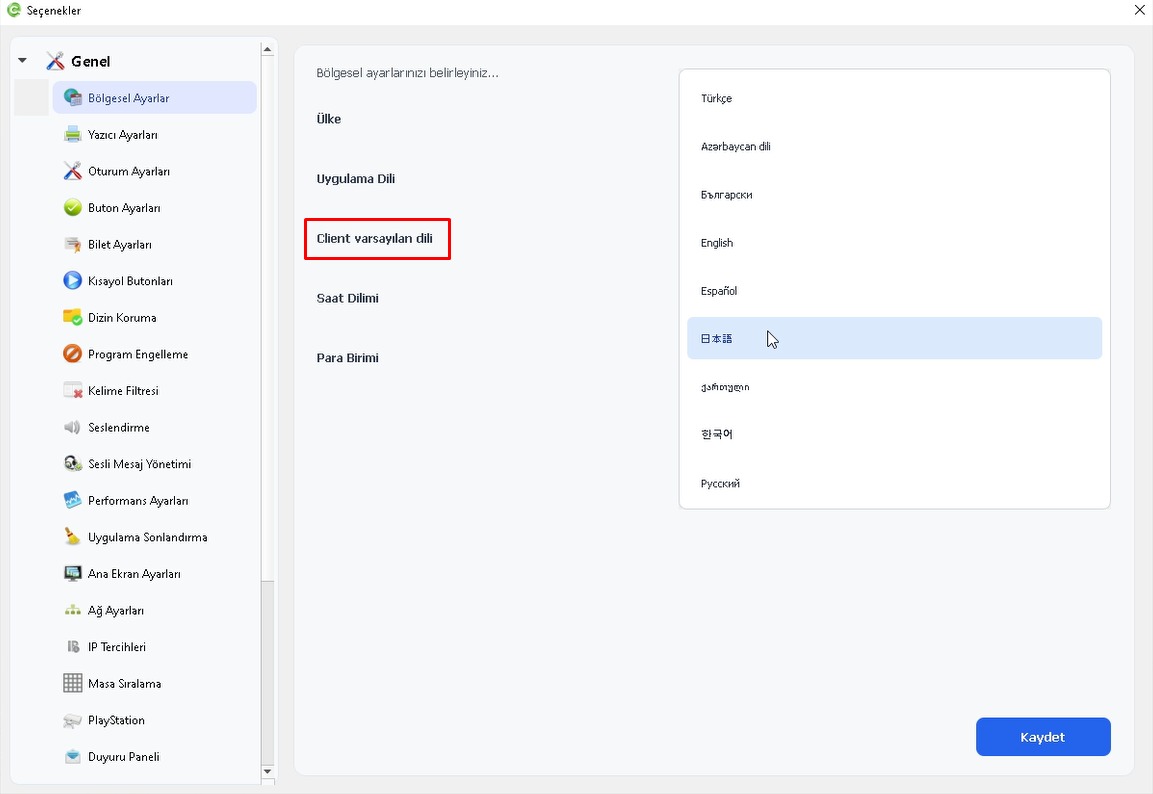 EveryCafe Smart Business Management Platform Version 1.0.237 Updates and Fixes
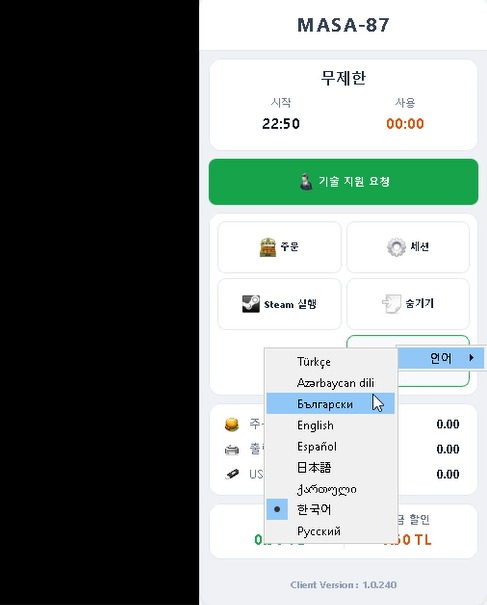 EveryCafe Smart Business Management Platform Version 1.0.237 Updates and Fixes
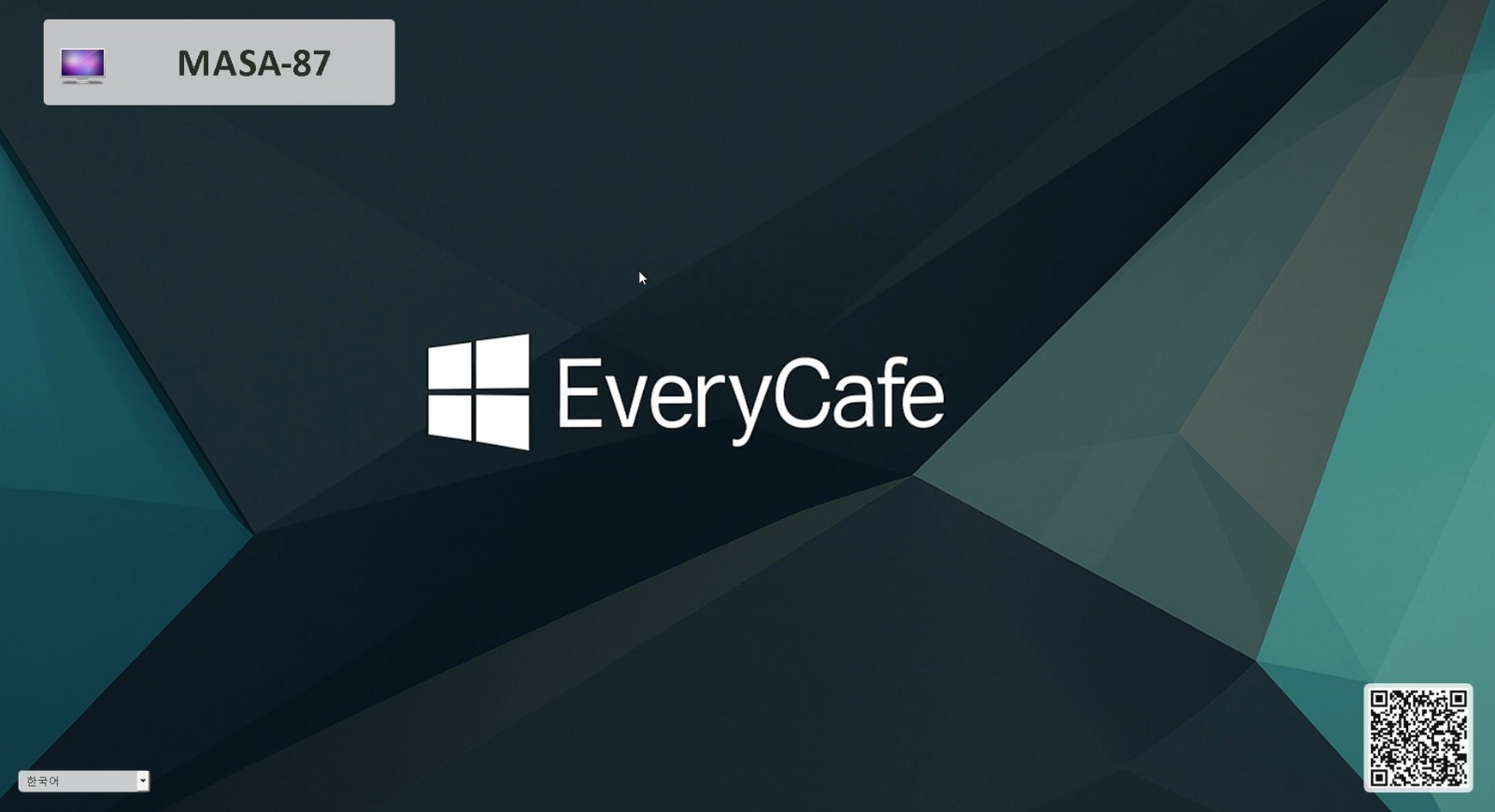 EveryCafe Smart Business Management Platform Version 1.0.237 Updates and Fixes
2-) Reports Section Activated in Web Panel
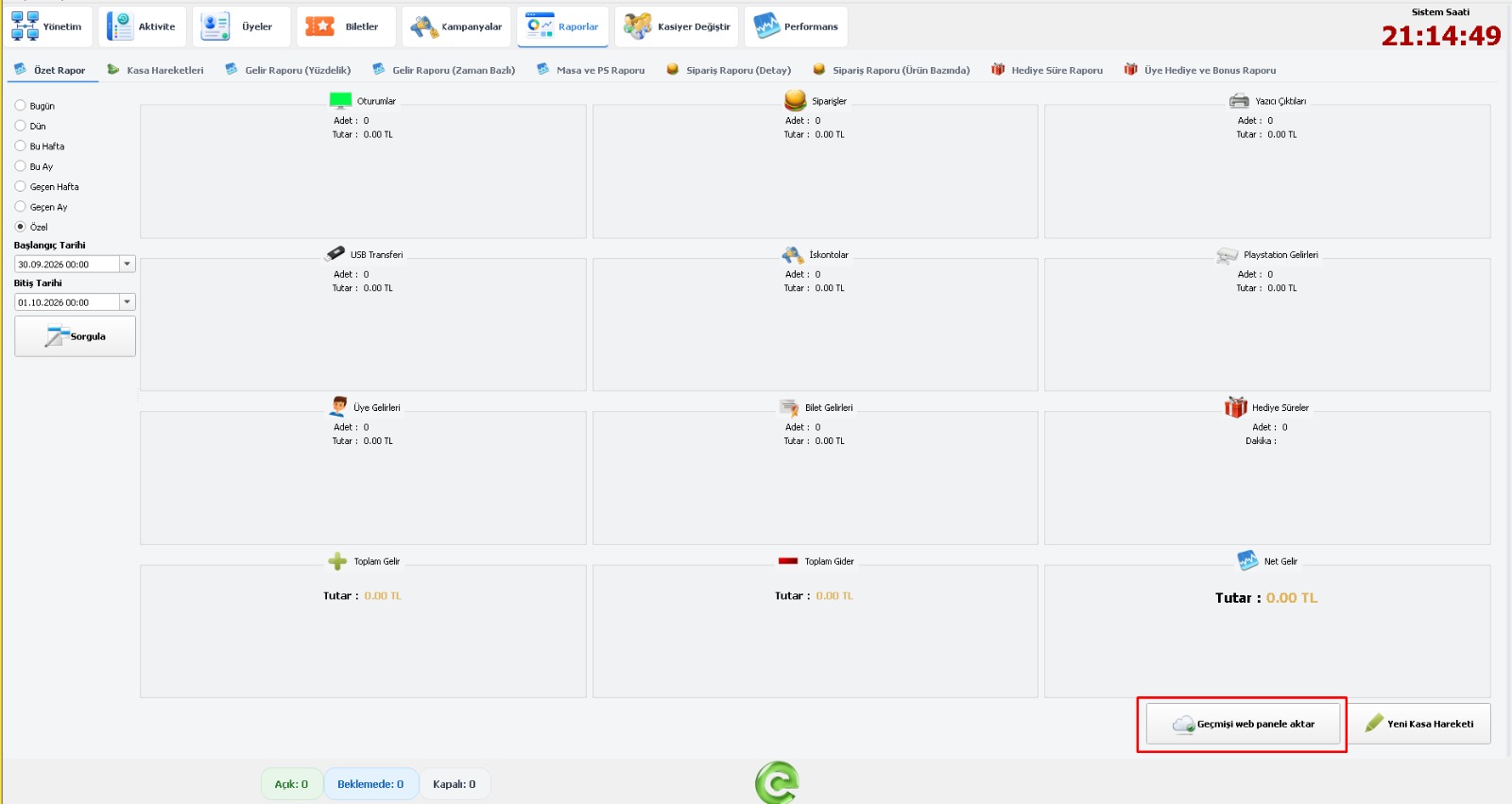
The reporting section in EveryCafe Web Panel has been activated.
After using the “Transfer History to Web Panel” button in the Summary Report screen in EveryCafe Manager, report synchronization between Manager and Web Panel is started.
Report data created after this process continues to be transferred to Web Panel, allowing you to view and monitor business reports without being tied to the computer where EveryCafe Manager is installed.
 EveryCafe Smart Business Management Platform Version 1.0.237 Updates and Fixes
3-) Bulk Operations Added to Stock Tracking
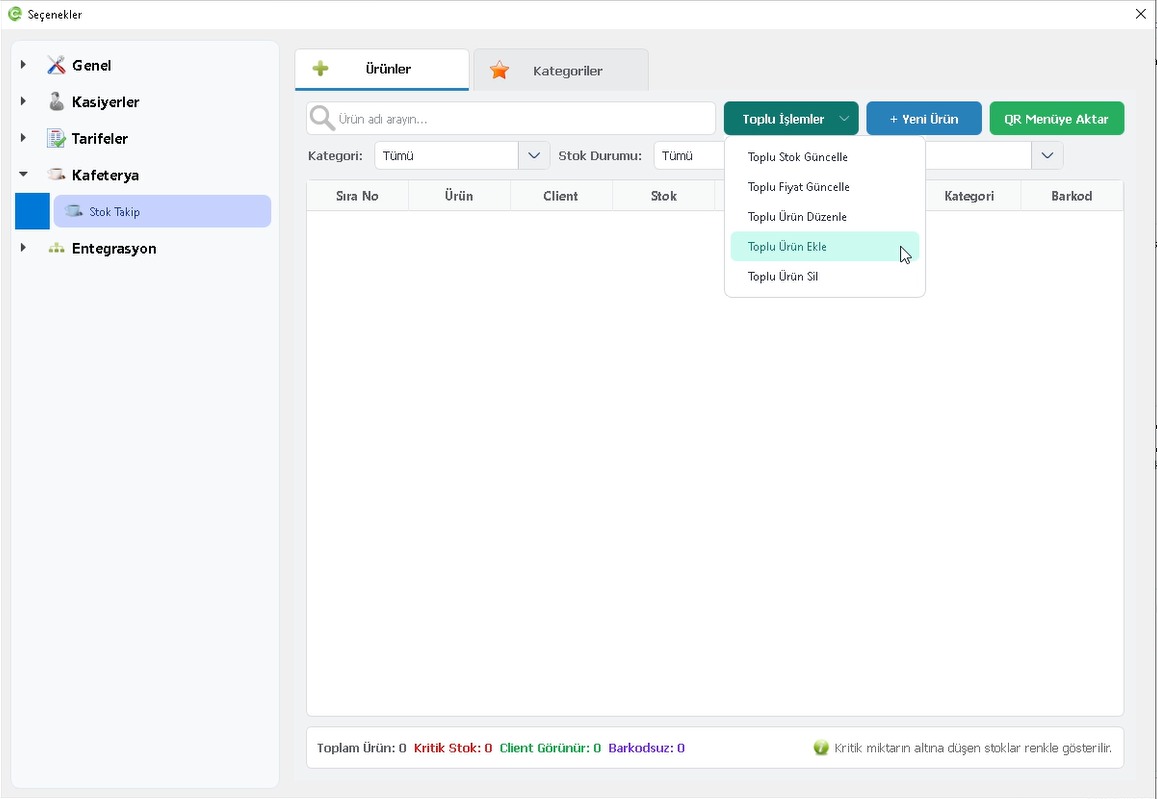
The Stock Tracking screen has been improved with new bulk-operation options that speed up product management.
You can now import products in bulk, add stock to multiple products at once, update prices and edit product properties collectively.
- Bulk product creation and product import from file
- Bulk stock update
- Bulk price update
- Bulk editing of product properties
- Bulk product deletion
The goal is to make stock management significantly faster and easier, especially for businesses with a large number of products.
 EveryCafe Smart Business Management Platform Version 1.0.237 Updates and Fixes
4-) Stock Transfer Added to Akınsoft and PanCafe Import Tool
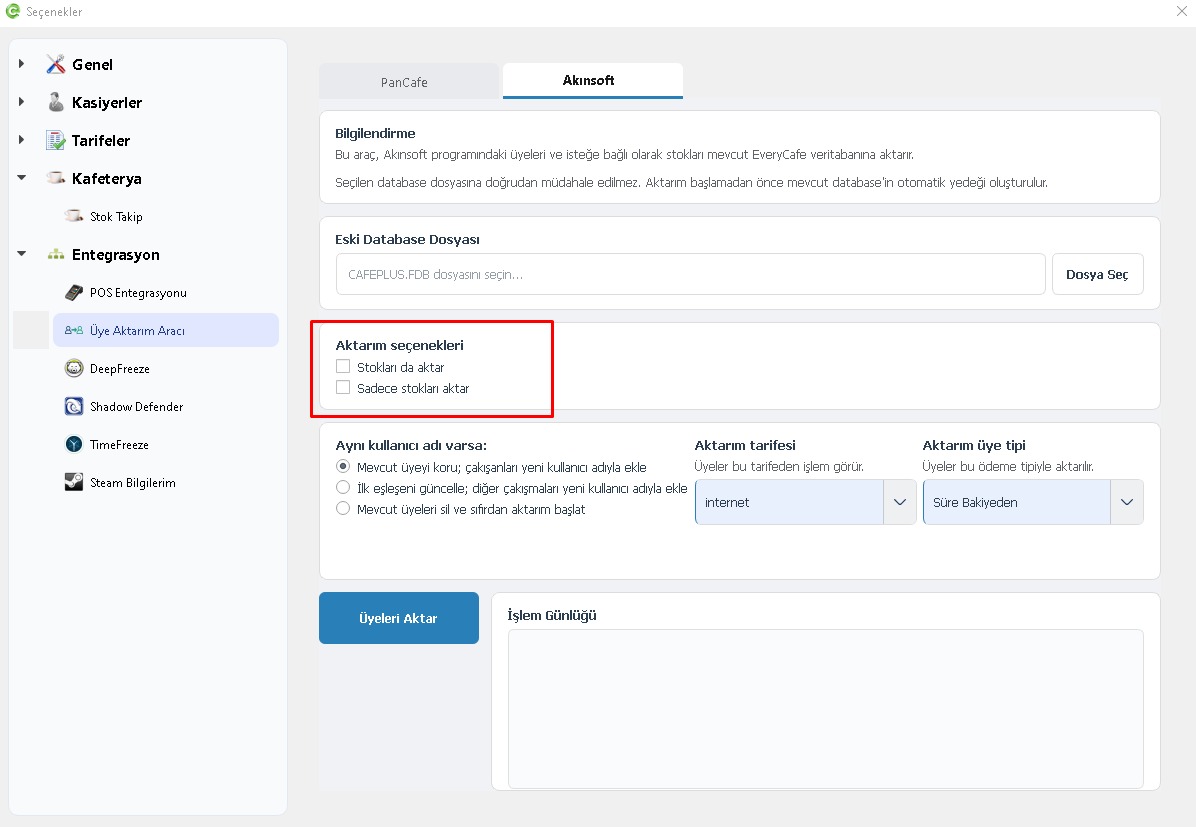
Our member import tool has been expanded so that not only members but also stock data can be transferred from Akınsoft CafePlus and PanCafe systems to EveryCafe.
Businesses moving to EveryCafe can now transfer their existing stock through the import tool instead of recreating products one by one.
 EveryCafe Smart Business Management Platform Version 1.0.237 Updates and Fixes
5-) PlayStation Pricing by Player Count Added
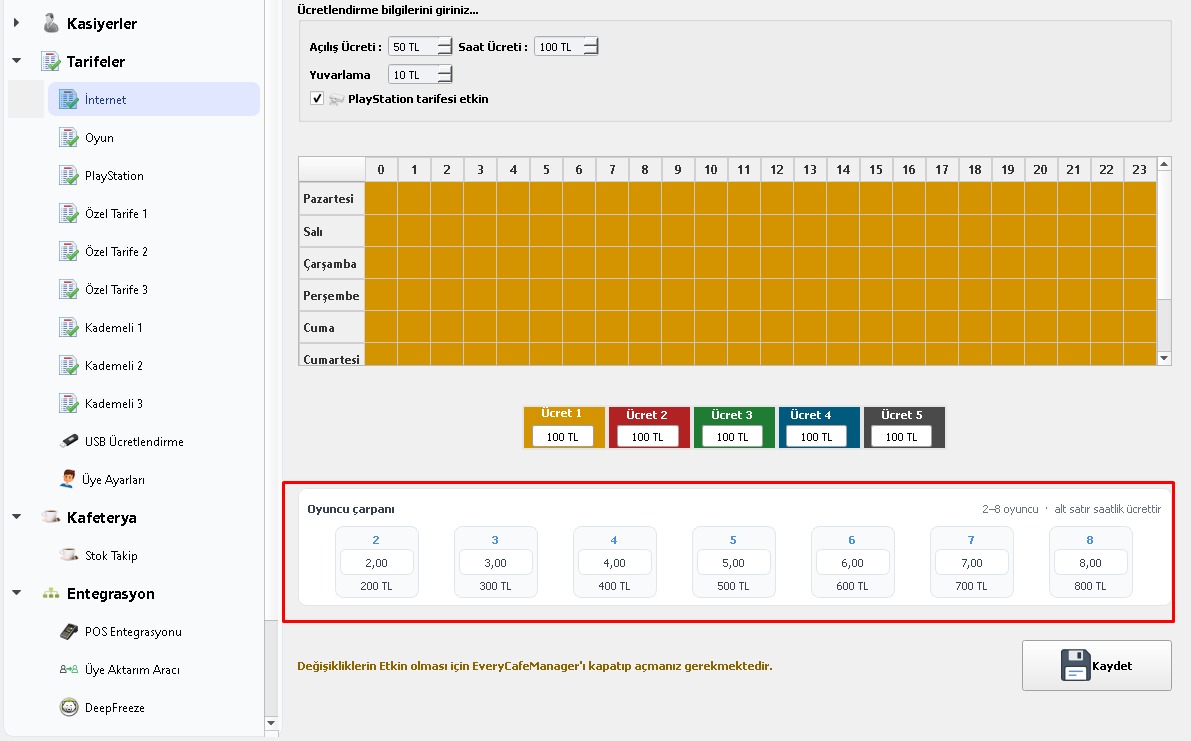
PlayStation tariffs have been enhanced so different prices can be defined according to the number of players.
For example, the same PlayStation tariff can have different pricing for one player, two players or more players.
 EveryCafe Smart Business Management Platform Version 1.0.237 Updates and Fixes
6-) Player Count Can Be Requested When Opening a PlayStation Session
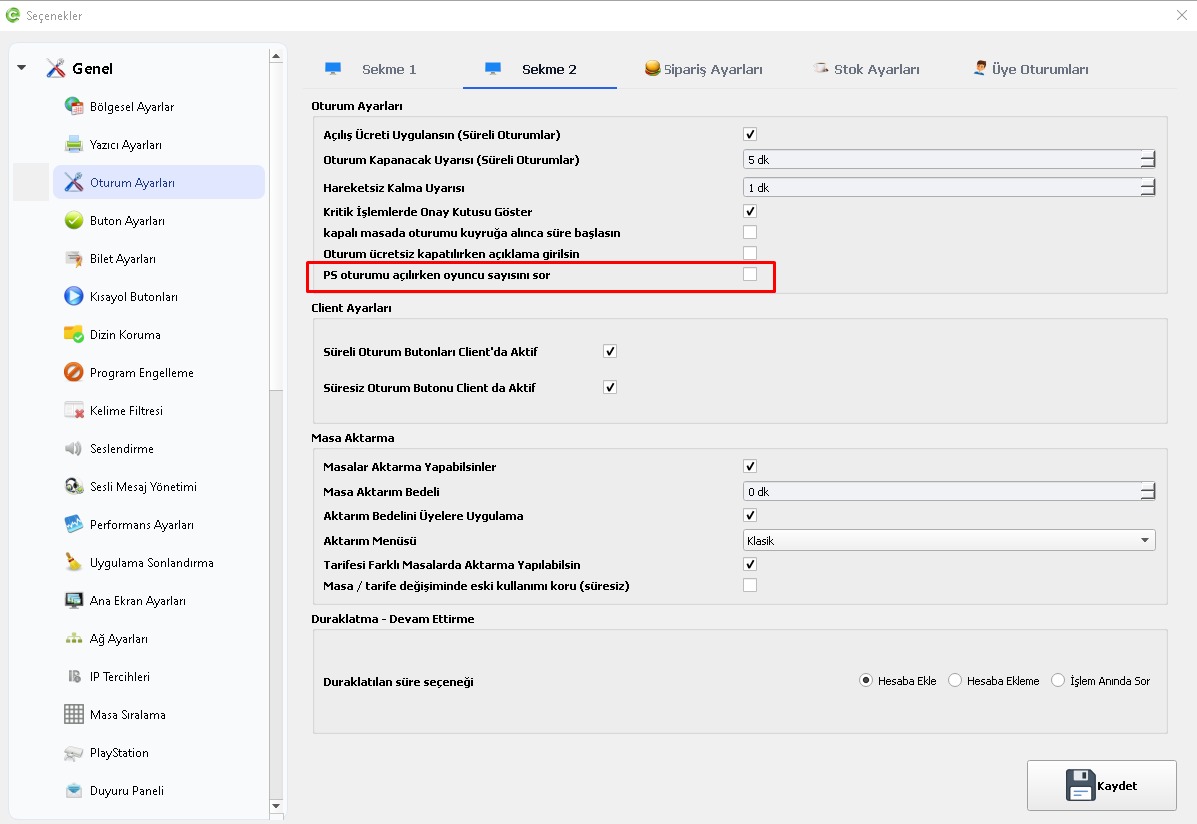
A new “Ask player count when opening a PS session” option has been added under Session Settings.
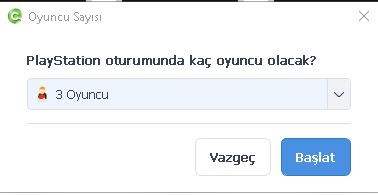
When enabled, the system asks how many players the PlayStation session will be opened for before starting it.
After the player count is selected, the session starts according to that number of players and the defined pricing.
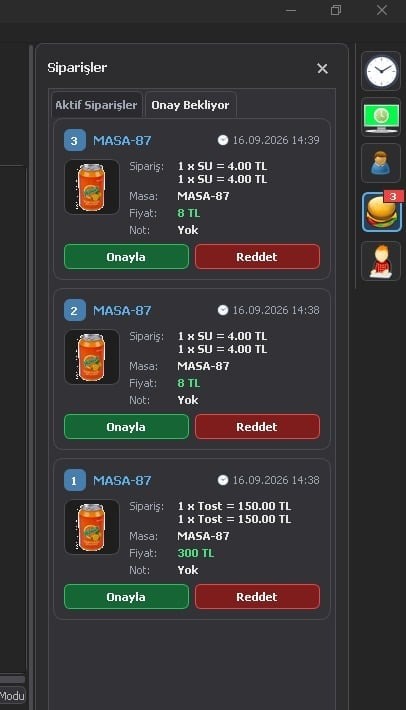
7-) New Approval Method Added for Client Orders
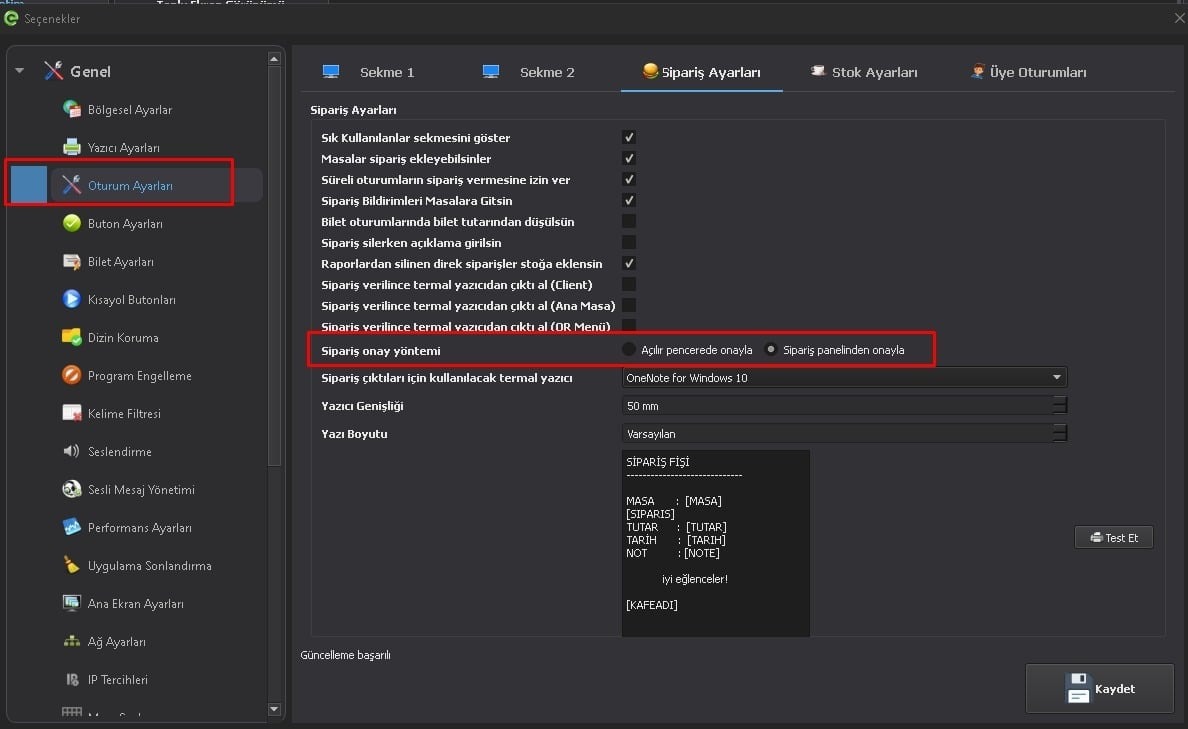
Users can now choose how orders received from Client are approved.
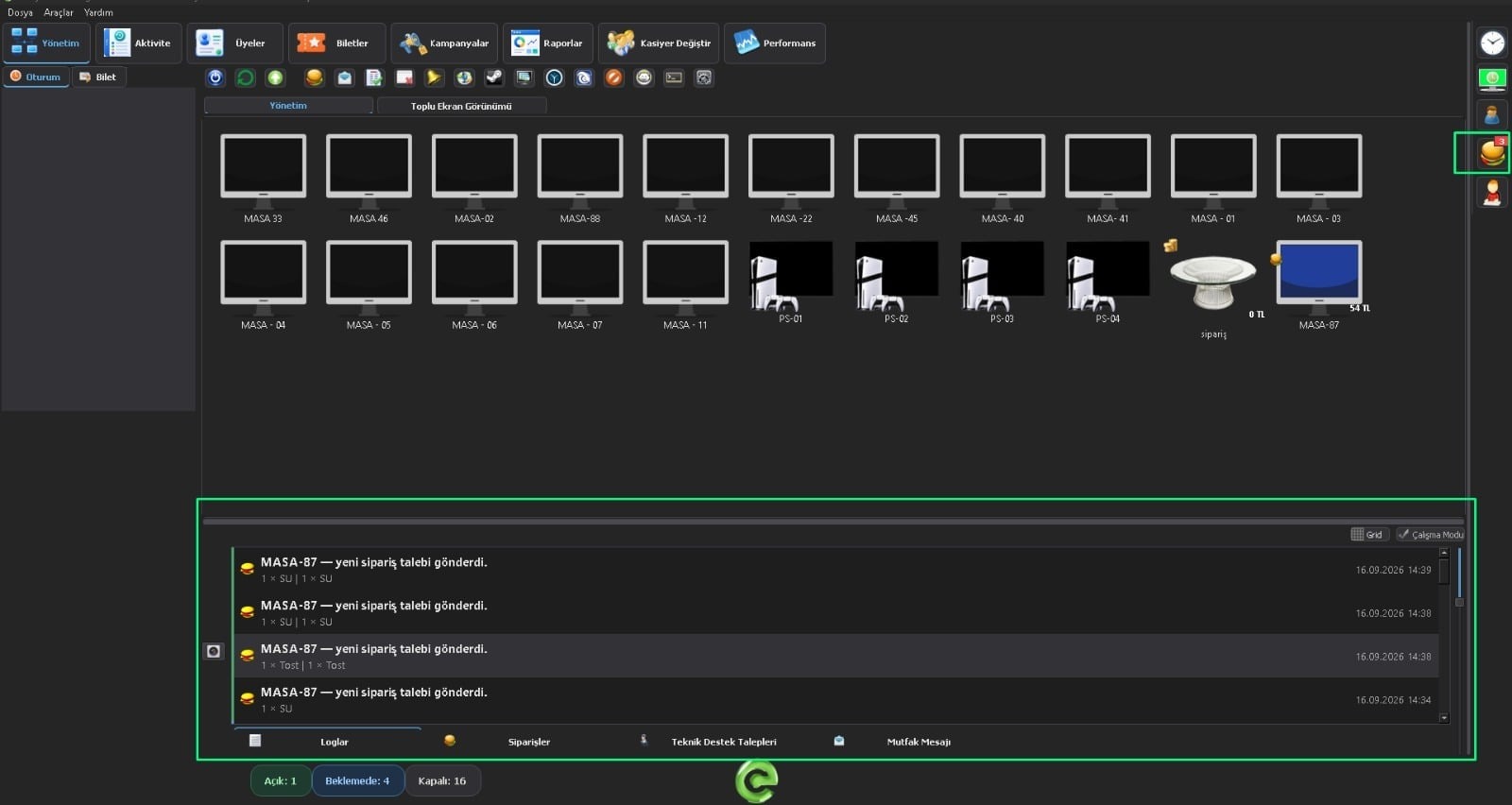
When approval from the order panel is selected, Client orders are listed under “Pending Approval” in the Orders section on the right panel instead of appearing in a pop-up window.
- Approve in a pop-up window
- Approve from the order panel
Even when the order panel is closed, the number of orders waiting for approval is shown on the panel icon.
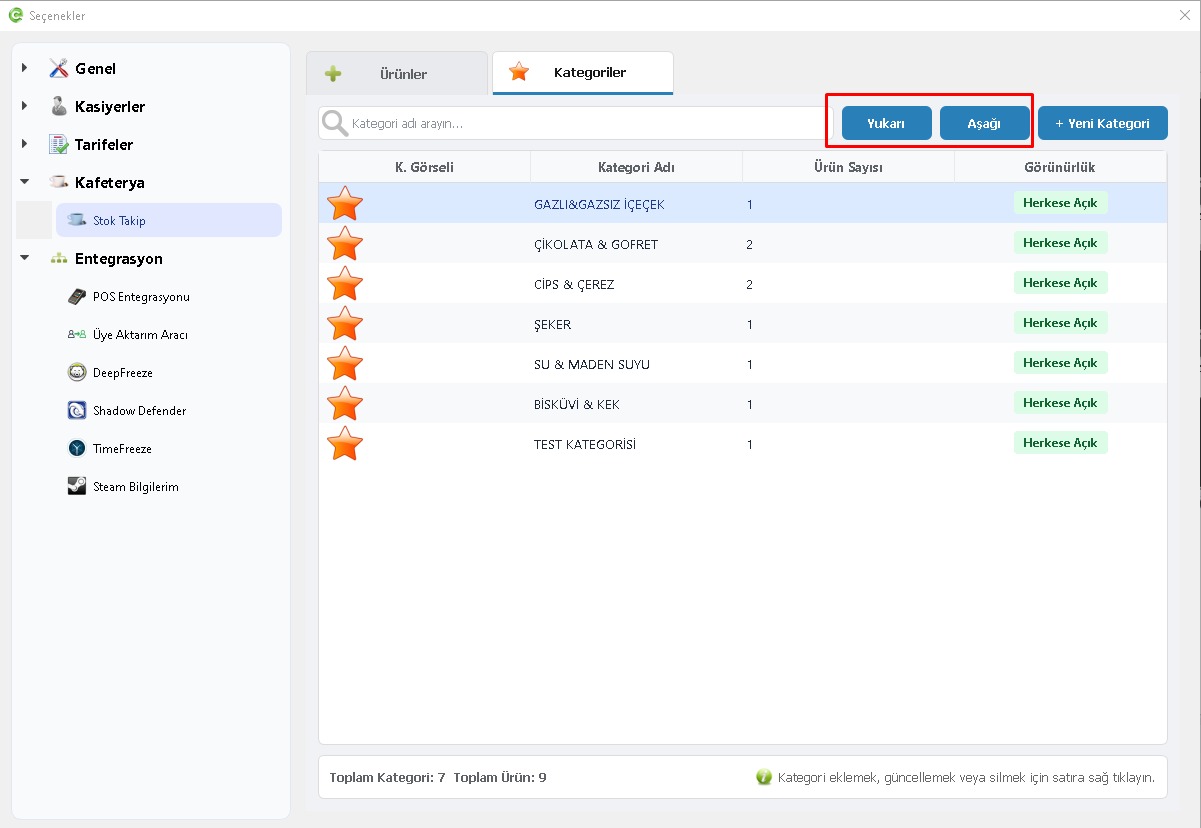
8-) Category and Product Sorting Improved
Manual sorting has been added to categories on the Stock Tracking screen.
The ordering defined for categories and products is now also transferred to Client computers.
This means the category and product order prepared in Manager is displayed in the same order on Client ordering screens.
 EveryCafe Smart Business Management Platform Version 1.0.237 Updates and Fixes
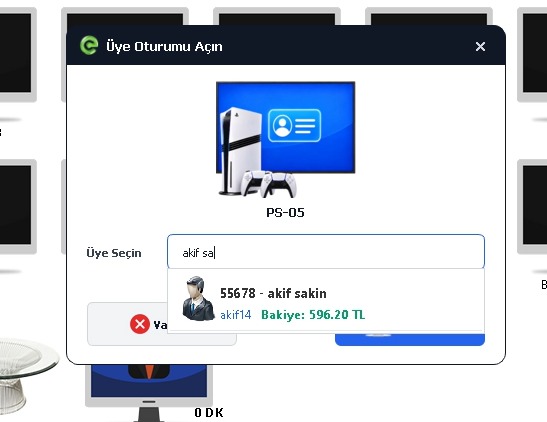
9-) Member List Display Preference Added
A new “List Display Preference” option has been added under Session Settings > Member Settings.
Previously, usernames were shown as the primary information in member lists. Users can now choose to display the member’s first and last name as the main information instead.
- Member lists
- Member balance top-up screen
- Open member session screen
- Member offline order operations
- Left-panel session summary
- Close Account screen
- Table icons
- Right-panel member sessions
Member search list views have also been reorganized as part of this update to make them easier to read.
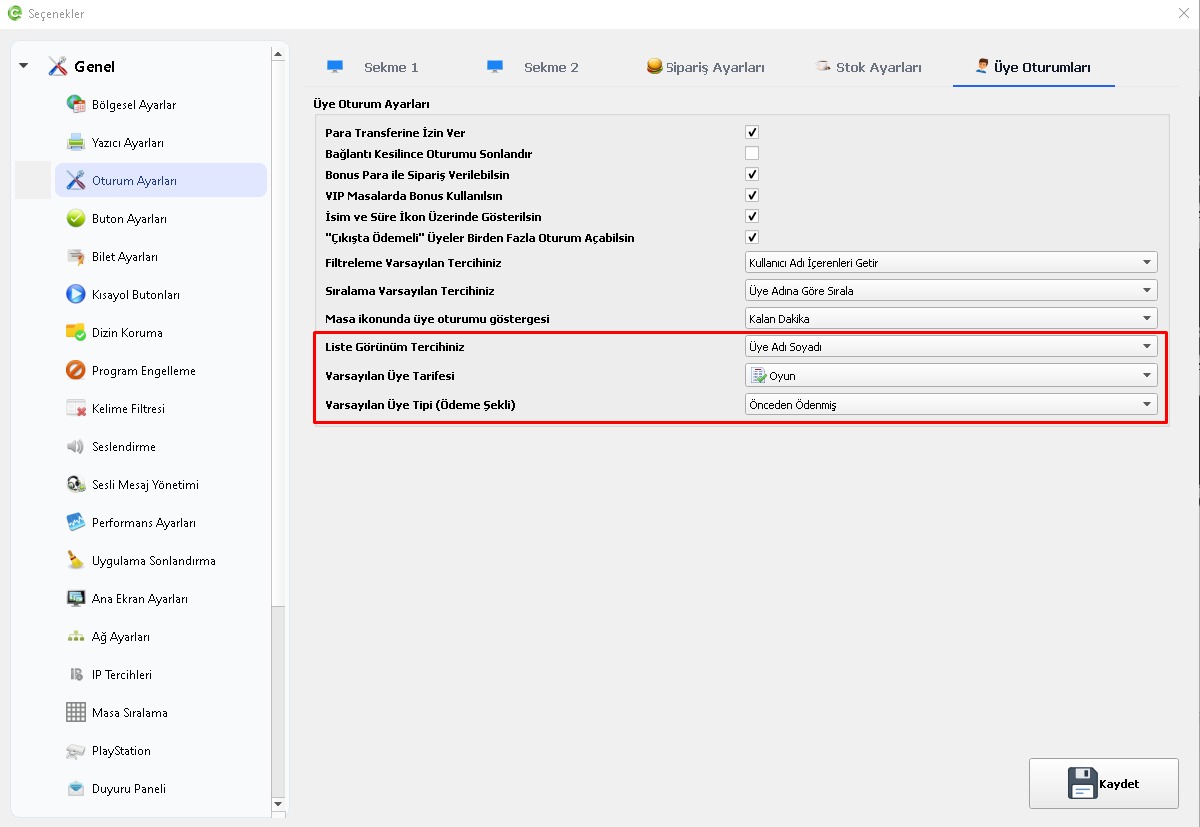
10-) Default Tariff and Membership Type Can Be Set for New Members
Two new options have been added under Session Settings > Member Settings to speed up the creation of new members.
The selected tariff and membership type are automatically applied to newly created members.
- Default Member Tariff
- Default Member Type / Payment Method
 EveryCafe Smart Business Management Platform Version 1.0.237 Updates and Fixes
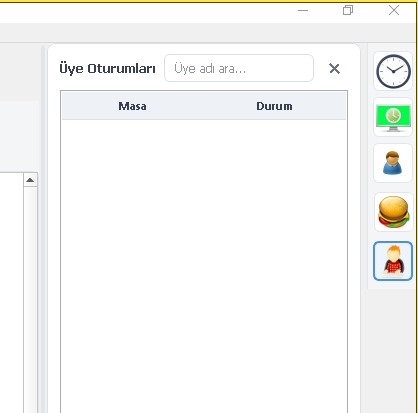
11-) Search Added to Right-Panel Member Sessions
A search bar has been added to the Member Sessions section on the right panel.
Active member sessions can now be quickly searched and filtered by username or member information.
 EveryCafe Smart Business Management Platform Version 1.0.237 Updates and Fixes
12-) Continue Session Support Added for “Time-from-Balance” Members
For the Time-from-Balance membership type, users can now top up their balance and continue the existing session when their time runs out.
This allows usage to continue after adding balance without fully closing and reopening the session.
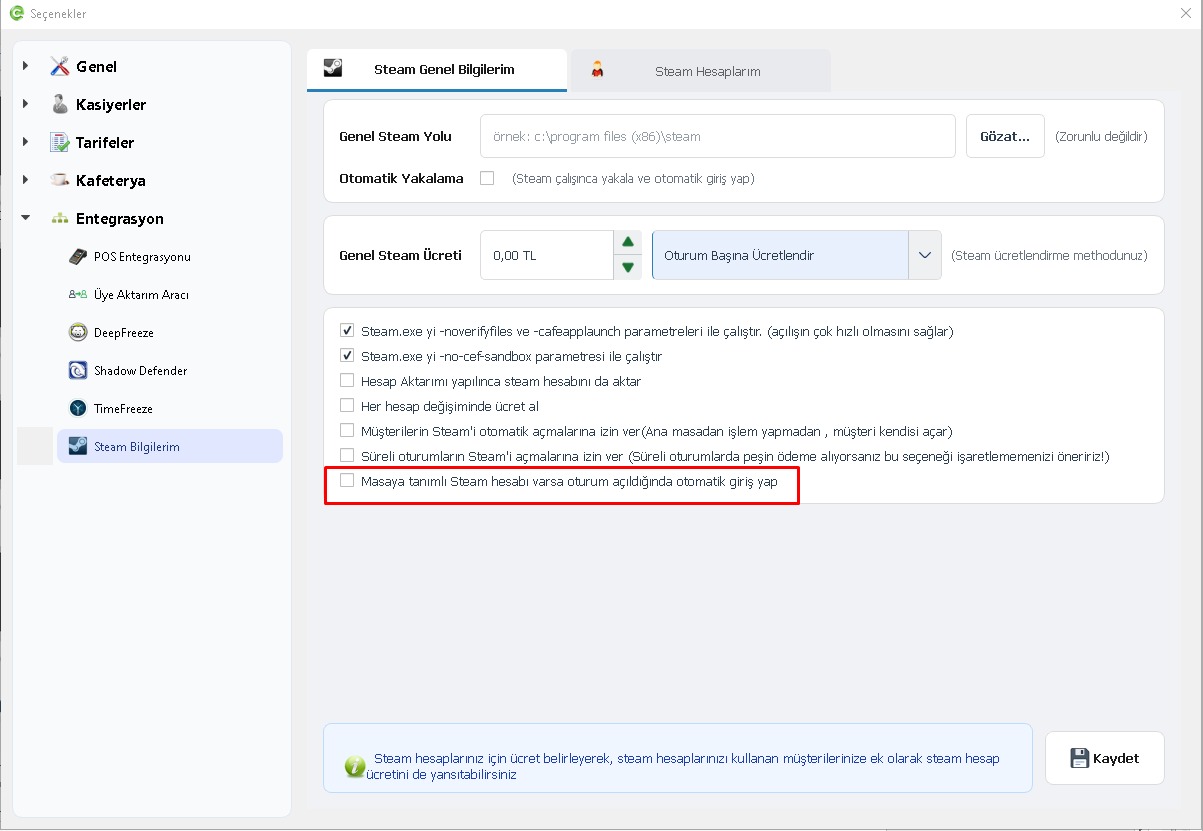
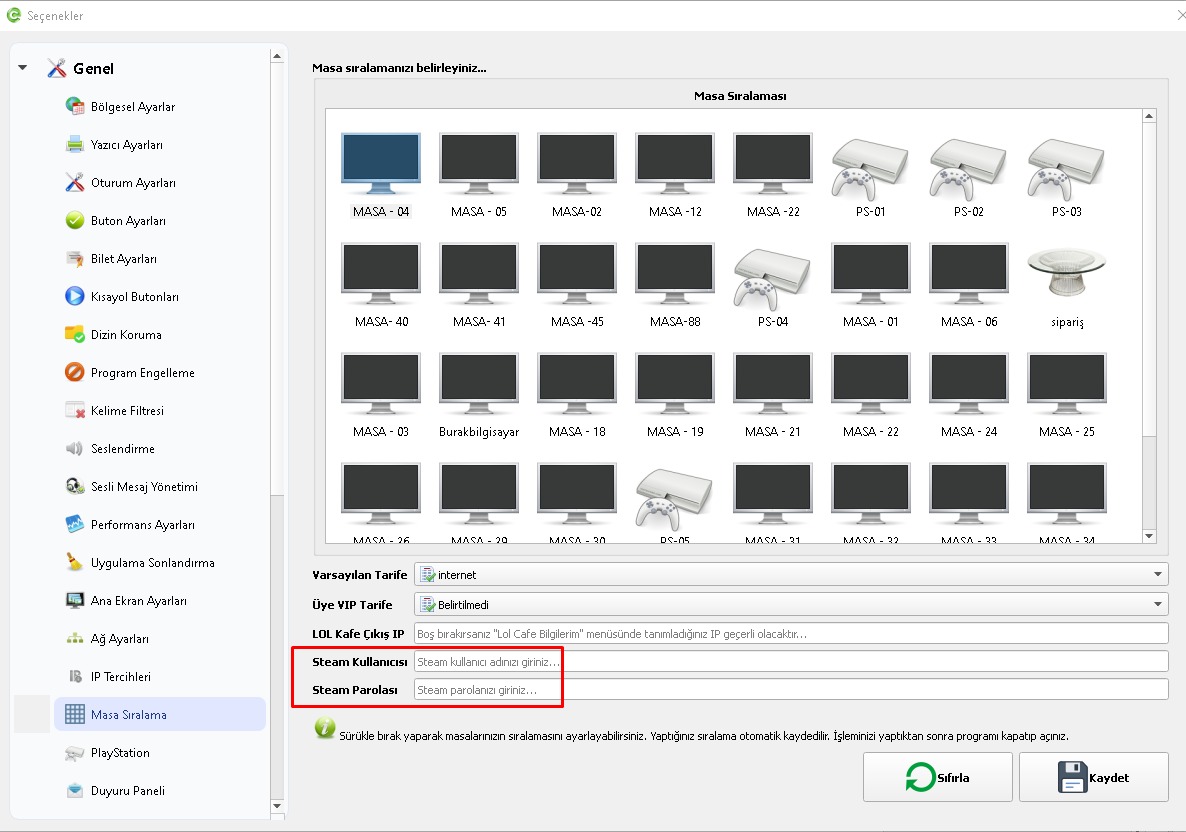
13-) Automatic Login Added for Steam Accounts Assigned to Tables
The system for assigning dedicated Steam accounts to tables from the Table Sorting section has been improved.
When the “Automatically log in when a Steam account is assigned to the table” option in My Steam Information is enabled, Client automatically logs in to the Steam account assigned to that table when a new session starts.
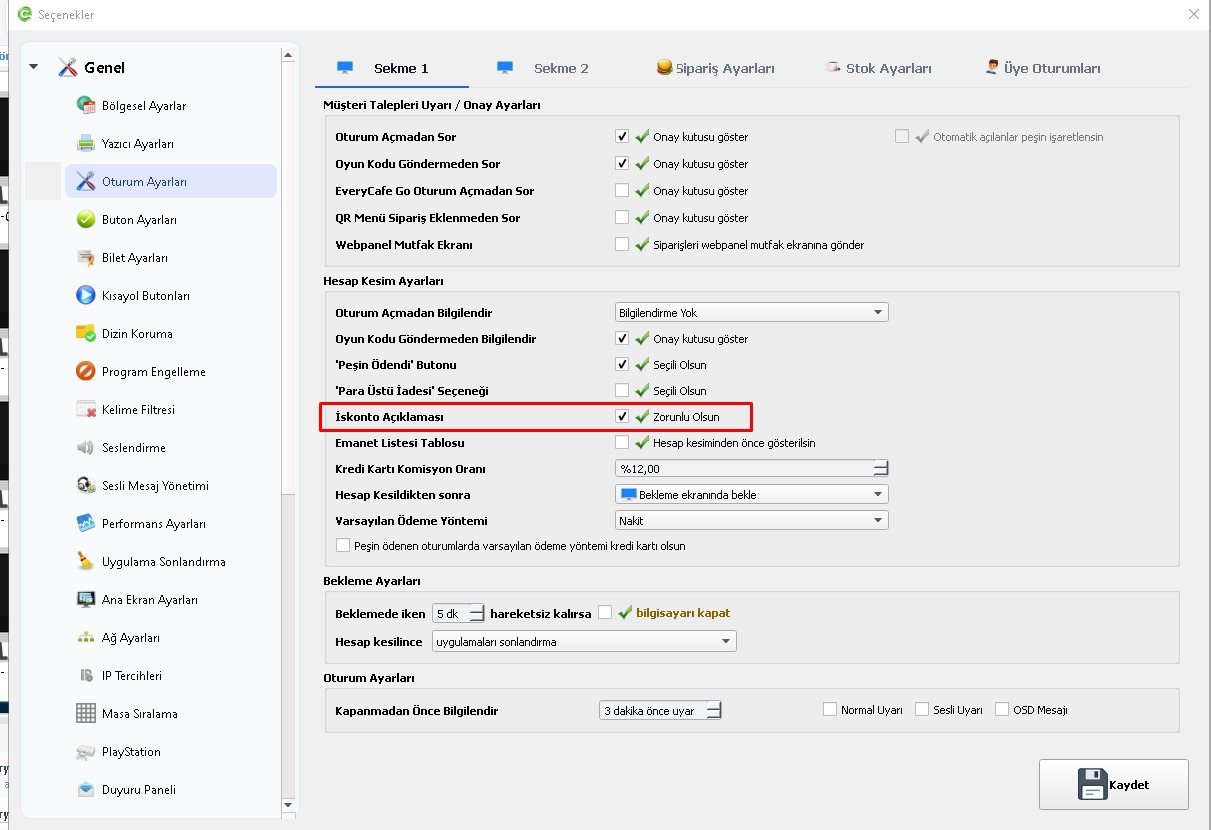
14-) Option Added to Require a Discount Explanation
A new “Require discount explanation” option has been added under Session Settings.
When enabled, if a discount is applied while closing an account, a discount explanation must be entered before the transaction can be completed.
 EveryCafe Smart Business Management Platform Version 1.0.237 Updates and Fixes
15-) Log Panel Coverage Expanded
The logging system has been expanded to record additional transaction types.
Member operations and order deletions can now be tracked from the Log Panel. Additional details, such as explanations for discounts and credit transactions, are also shown in the relevant log records.
16-) Discount Information Added to Summary Report
The E-Pin / Promo Code field on the Summary Report screen has been replaced with Discount information.
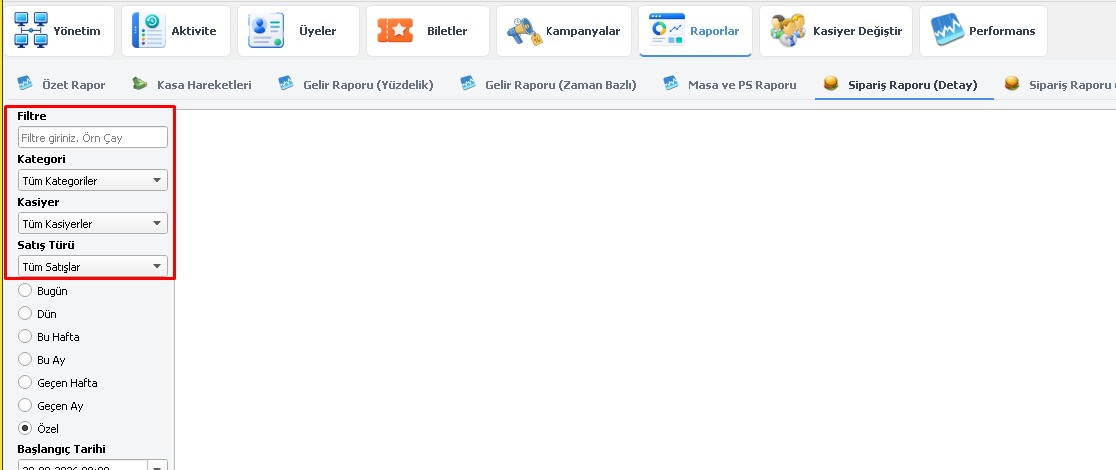
17-) Order Reports Improved
Filtering and viewing options on the order reports screen have been improved.
Cashier, category and transaction-type filters have been added so order records can be examined in greater detail.
 EveryCafe Smart Business Management Platform Version 1.0.237 Updates and Fixes
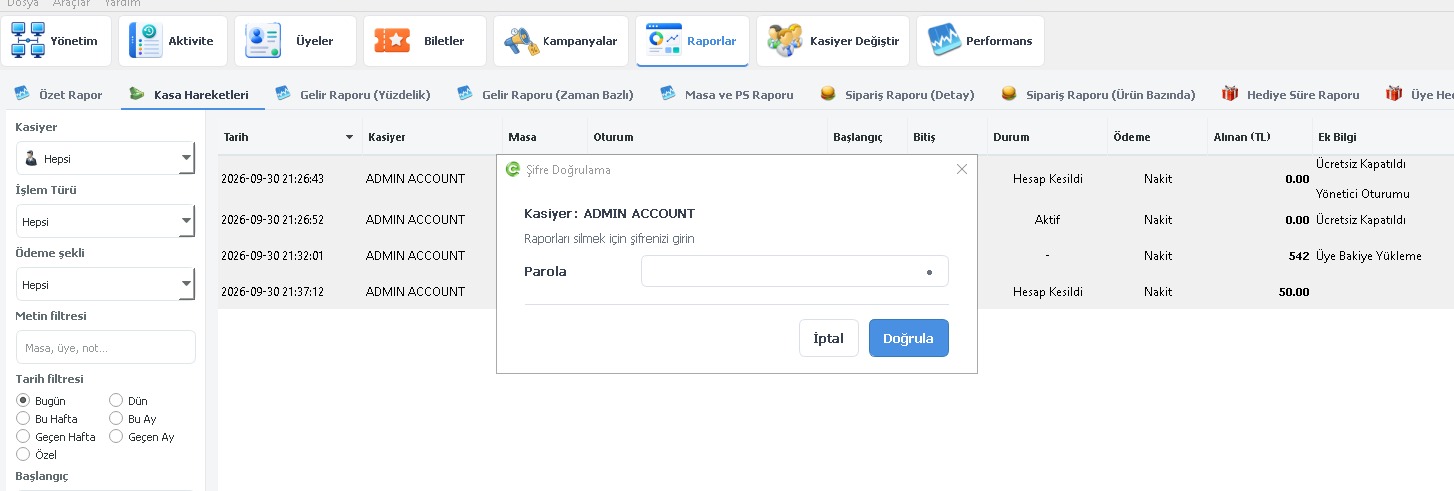
18-) Password Confirmation Added to Report Deletion
Authorized-user password verification has been added to improve security when deleting reports.
Before a report is deleted, the authorization of the user performing the action is checked and password verification is requested.
 EveryCafe Smart Business Management Platform Version 1.0.237 Updates and Fixes
🛠️ Adjustments, Fixes and Optimizations
Order and Payment Operations
- Transaction conflicts that could occur when the order approval window and the Close Account screen opened at the same time have been resolved.
Client Adjustments
- Actions on the Client waiting screen can no longer be triggered unintentionally from the keyboard.
- The relevant actions on the waiting screen have been adjusted to work only with the mouse.
Log and Performance Adjustments
- Various improvements have been made to the creation and storage of log records.
As we continue to improve EveryCafe, we also continue to treat suggestions and feedback from our users as an important part of new feature development.
You can share your comments, suggestions or any issues you encounter with the new release through the EveryCafe live support line.