 EveryCafe
VERSION UPDATES
EveryCafe Smart Business Management Platform Version 1.0.239 Updates and Fixes
EveryCafe Release Notes
Dear EveryCafe Users,
We continue to strengthen EveryCafe with new features and improvements. This release introduces game and session campaigns, prize wheels, pfSense integration, Wi-Fi package sales, stock management and many other enhancements.
To use the new features smoothly, it is important to update both EveryCafe Manager and EveryCafe Client.
✨ New Features and Improvements
FEATURED UPDATE
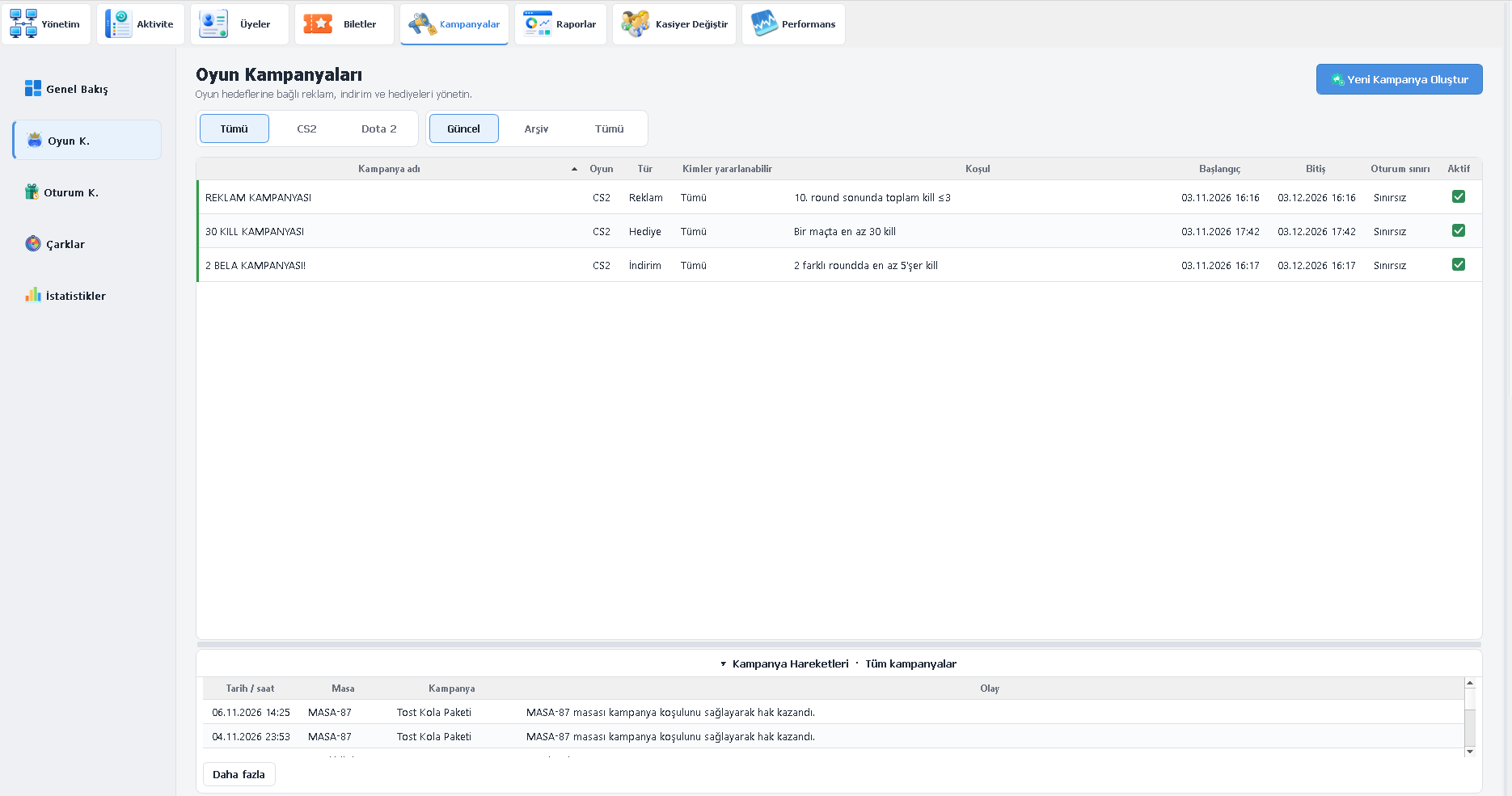
1. Game Campaigns Added
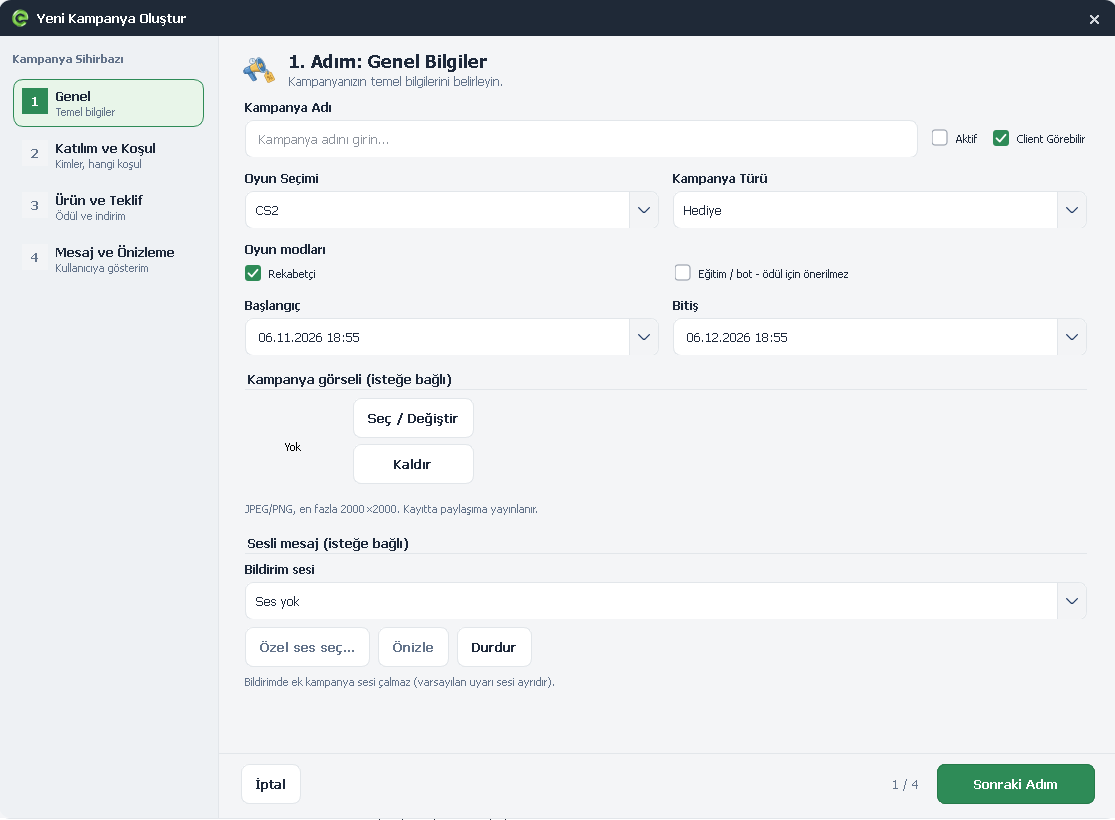
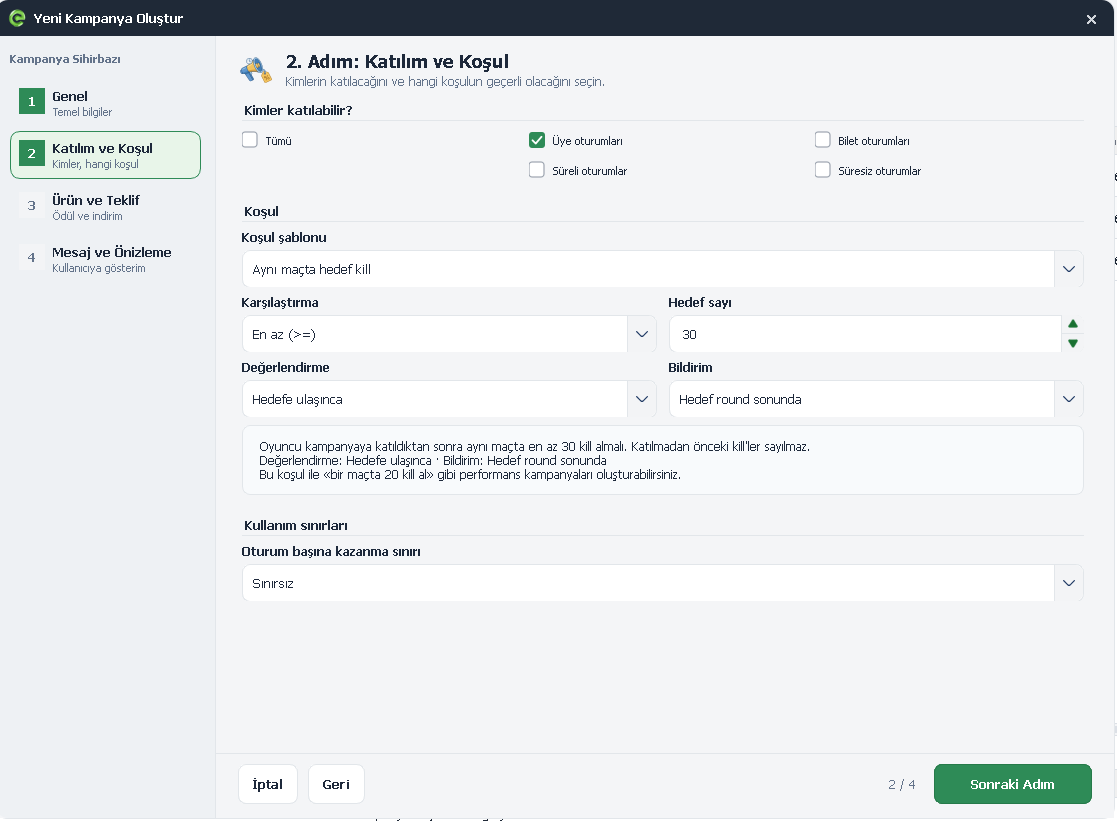
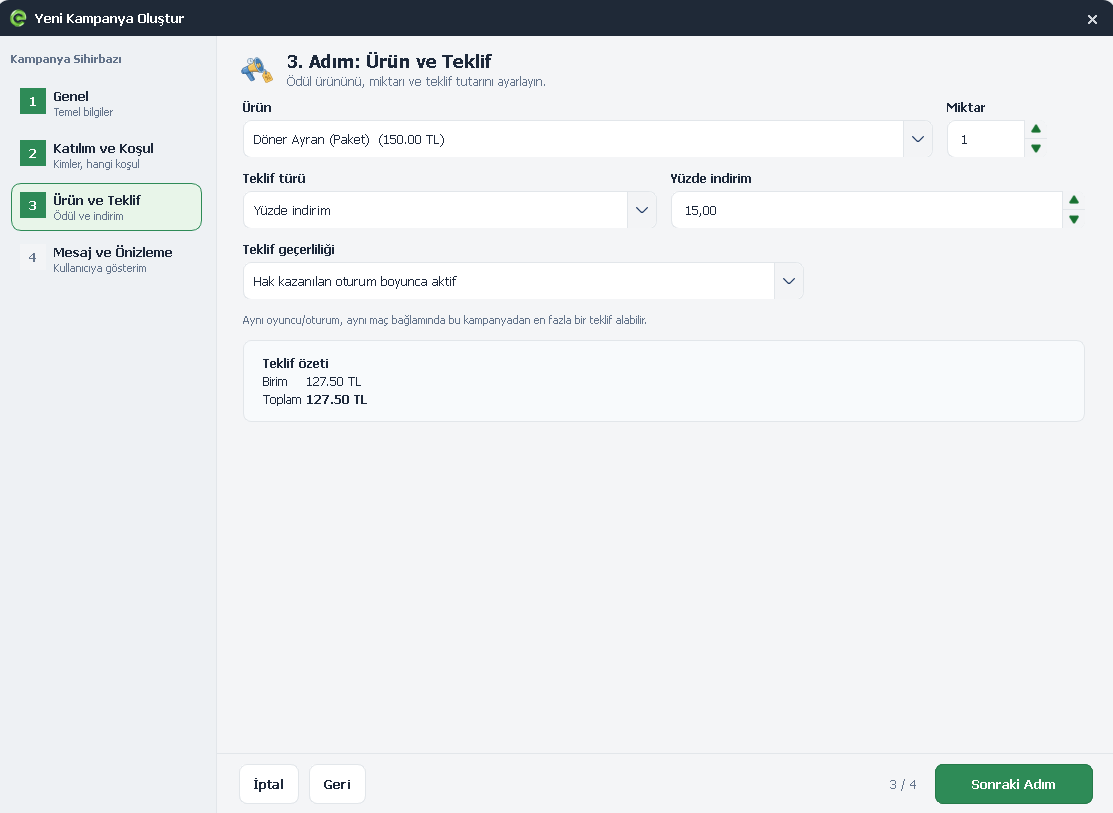
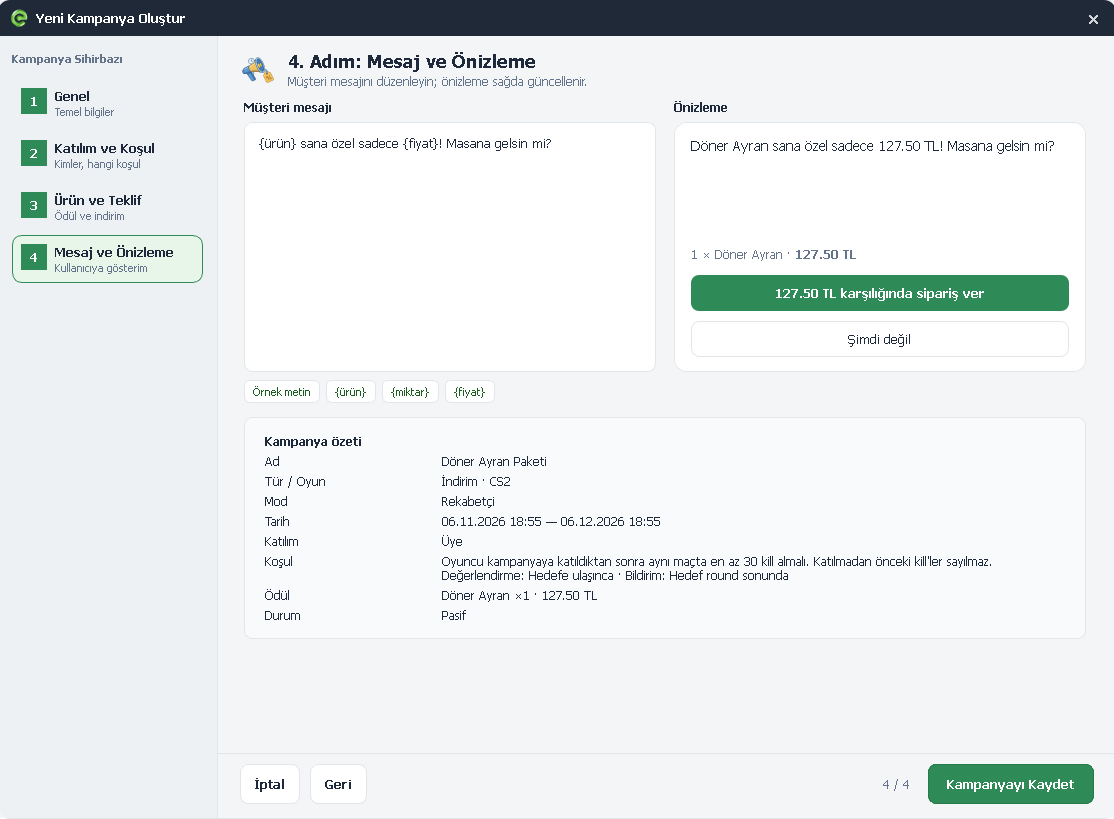
EveryCafe now includes Game Campaigns, allowing you to create automatic promotions based on in-game events and achievements.
Using live data from supported games, you can offer ads, discounts and rewards based on player performance, achievements or specific moments in a match.
Advertising: Display product promotions at specific moments during gameplay.
Discounts: Offer special discounts when players reach in-game goals.
Rewards: Reward players with free products when they achieve certain milestones.
Campaigns run automatically based on the conditions you define. You can also configure custom messages, images and audio notifications.
 EveryCafe Smart Business Management Platform Version 1.0.239 Updates and Fixes
 EveryCafe Smart Business Management Platform Version 1.0.239 Updates and Fixes
 EveryCafe Smart Business Management Platform Version 1.0.239 Updates and Fixes
 EveryCafe Smart Business Management Platform Version 1.0.239 Updates and Fixes
 EveryCafe Smart Business Management Platform Version 1.0.239 Updates and Fixes
2. Session Campaigns Added
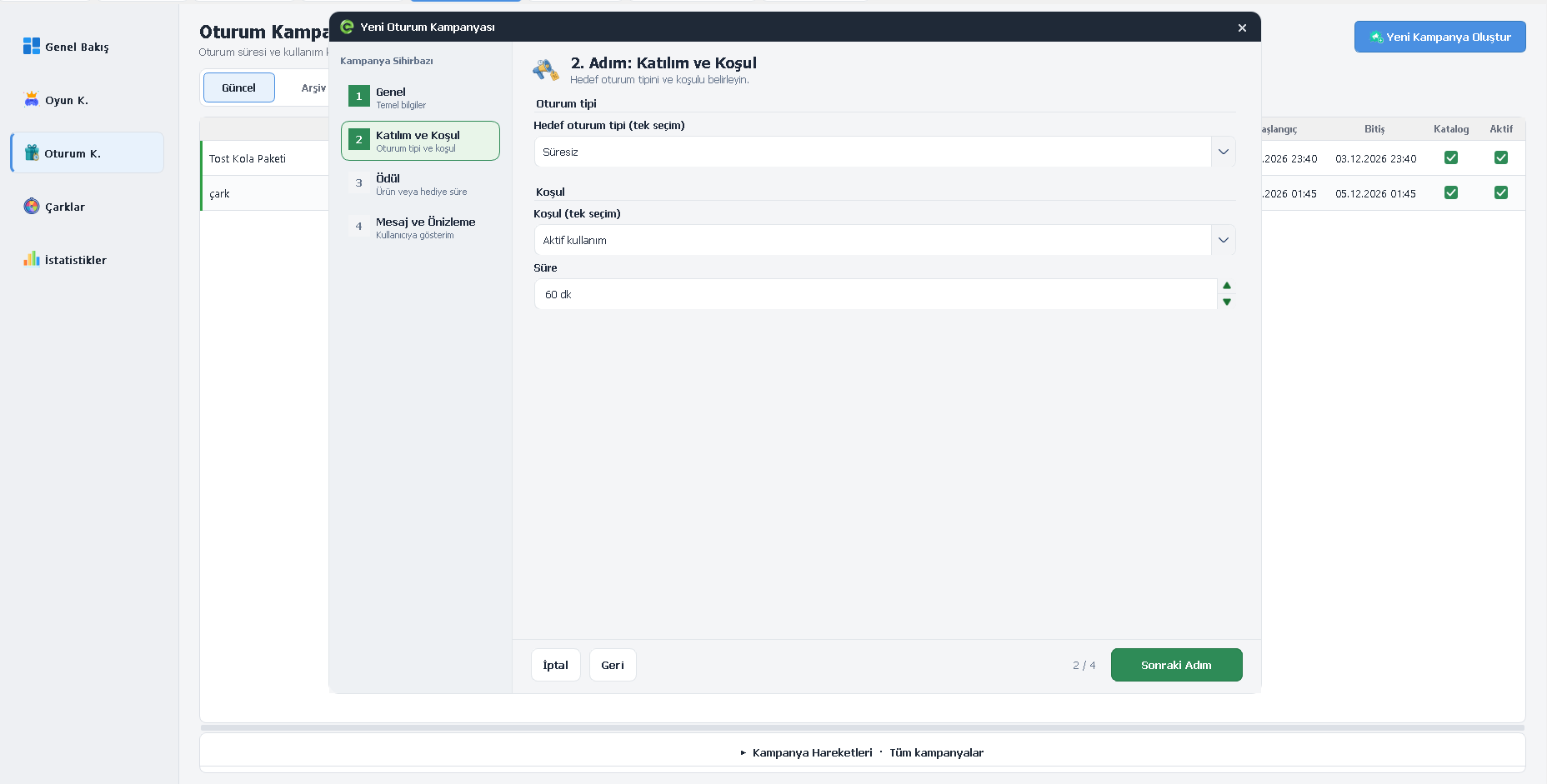
You can now create automatic campaigns based on session start times or active usage duration. Offer special deals to customers starting a new session or reward those who reach a specified amount of play time.
 EveryCafe Smart Business Management Platform Version 1.0.239 Updates and Fixes
3. Campaigns Section Redesigned
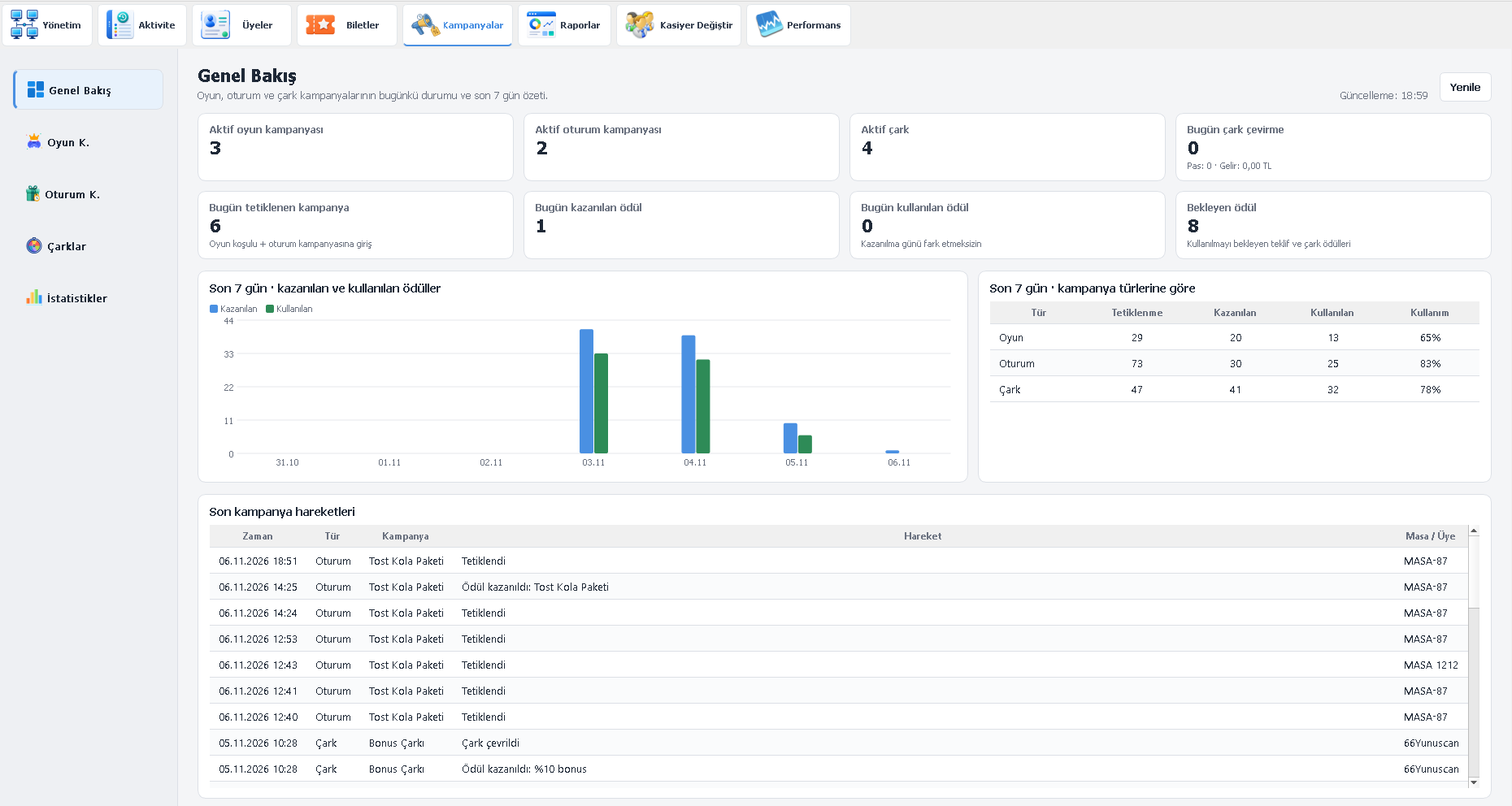
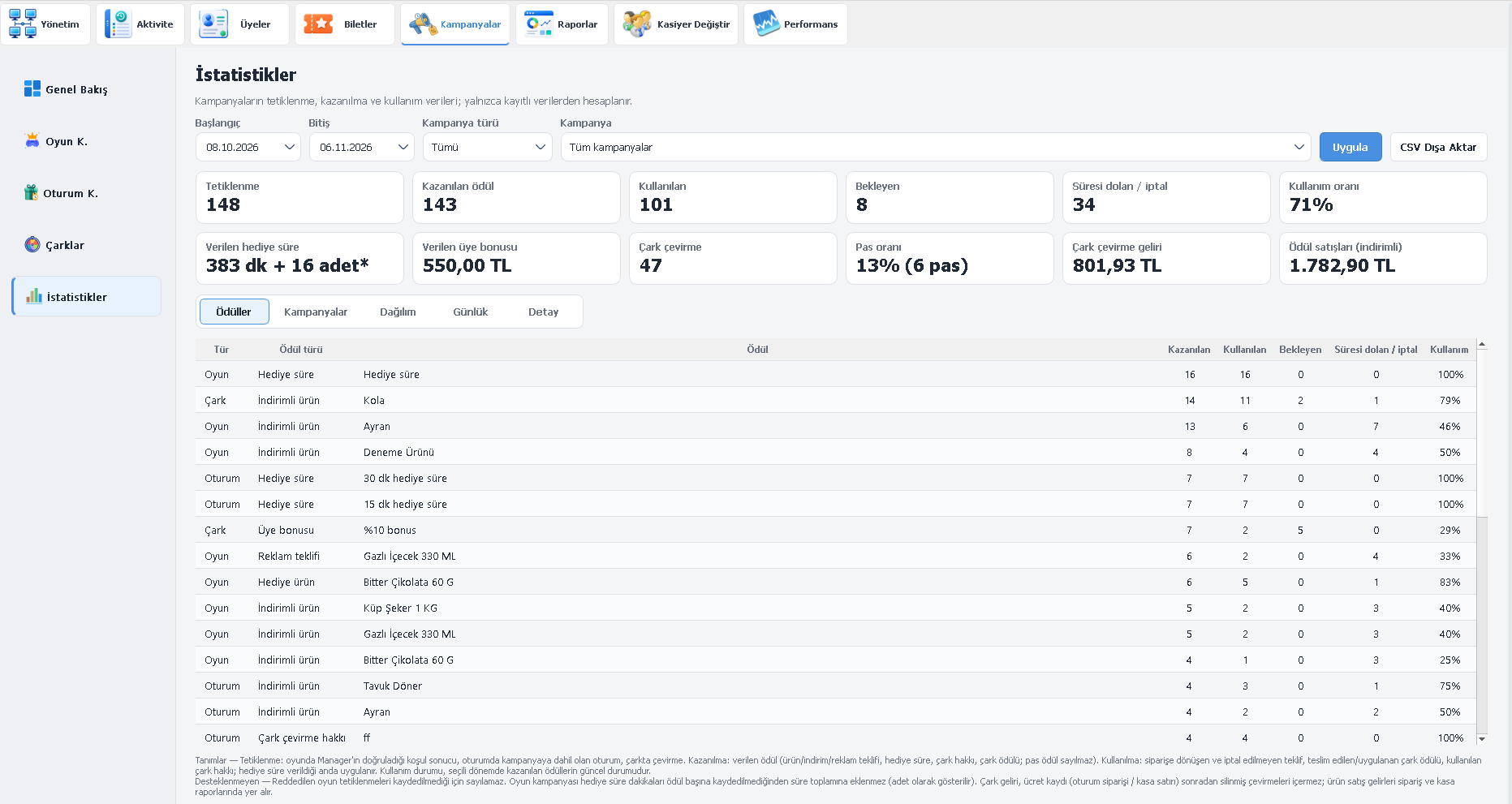
The Campaigns section in EveryCafe Manager has been reorganized into Overview, Game Campaigns, Session Campaigns, Prize Wheels and Statistics tabs.
These screens let you track campaign status, participation rates, rewards earned and their impact on your business.
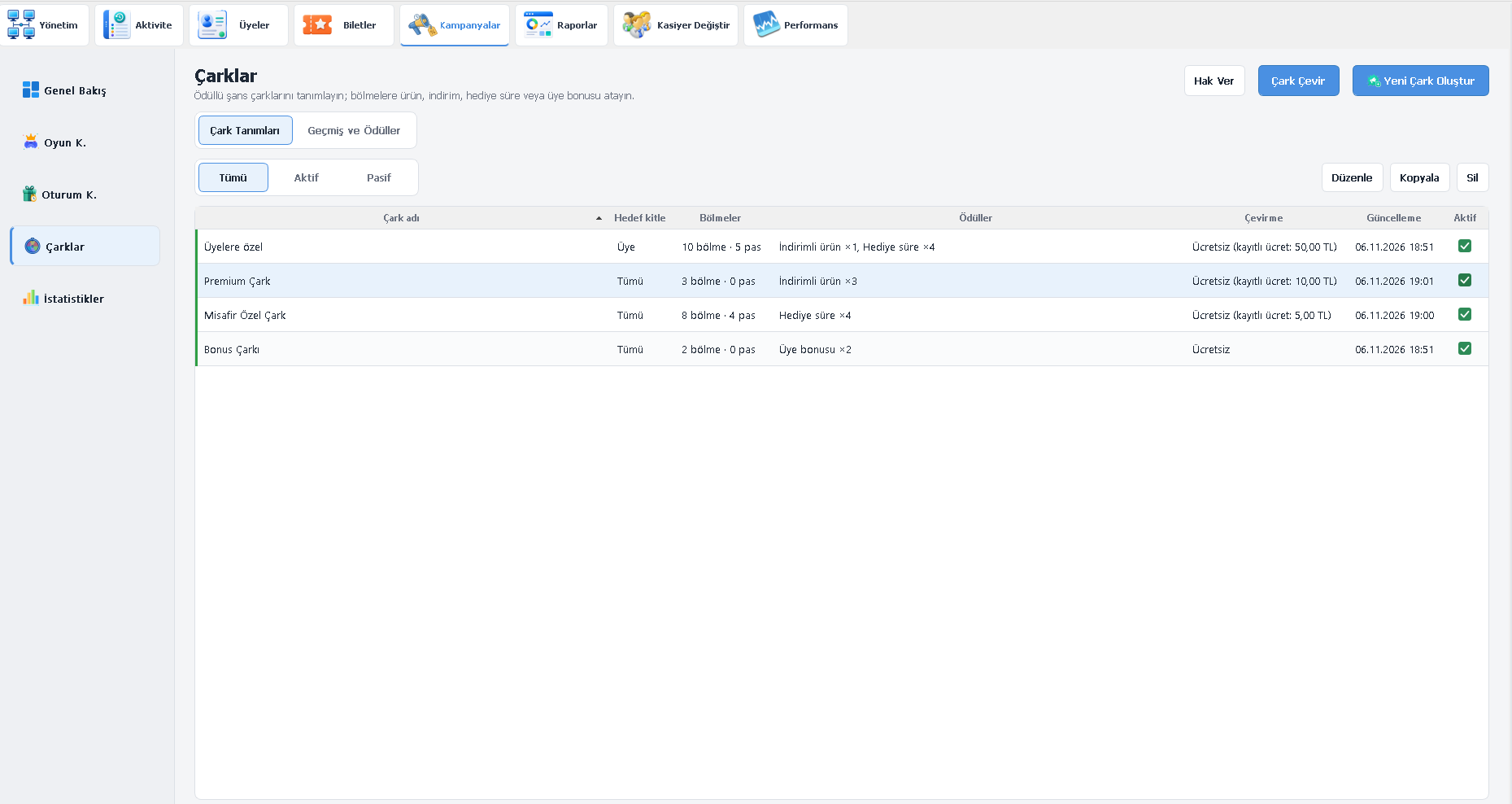
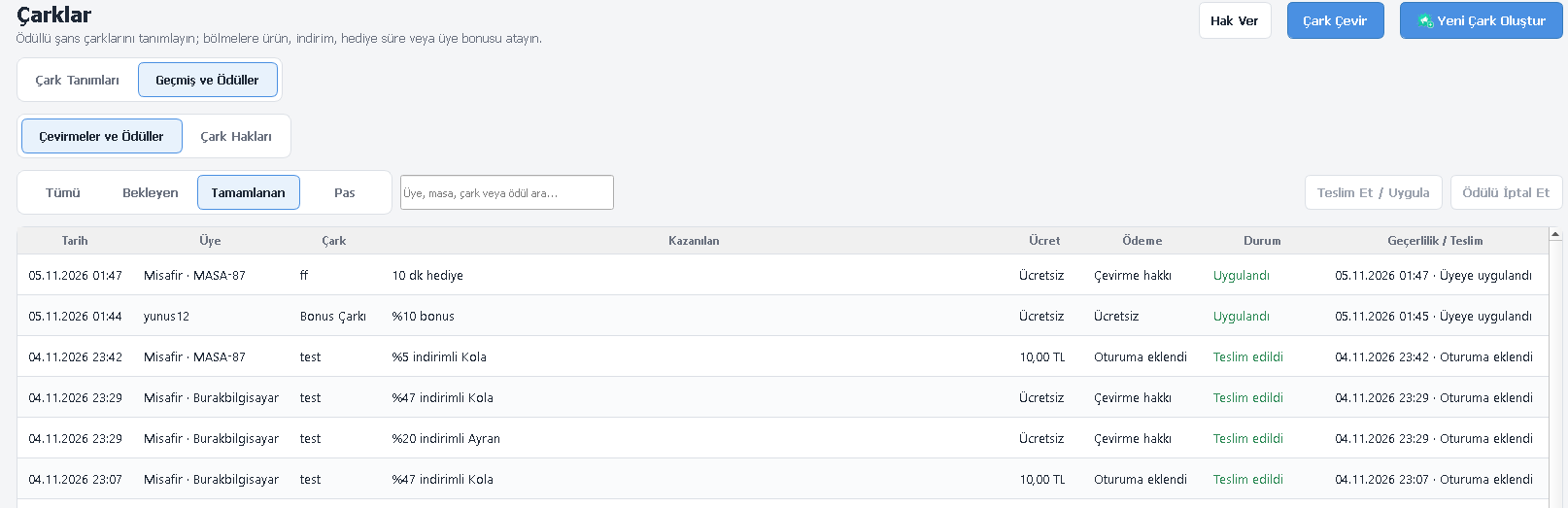
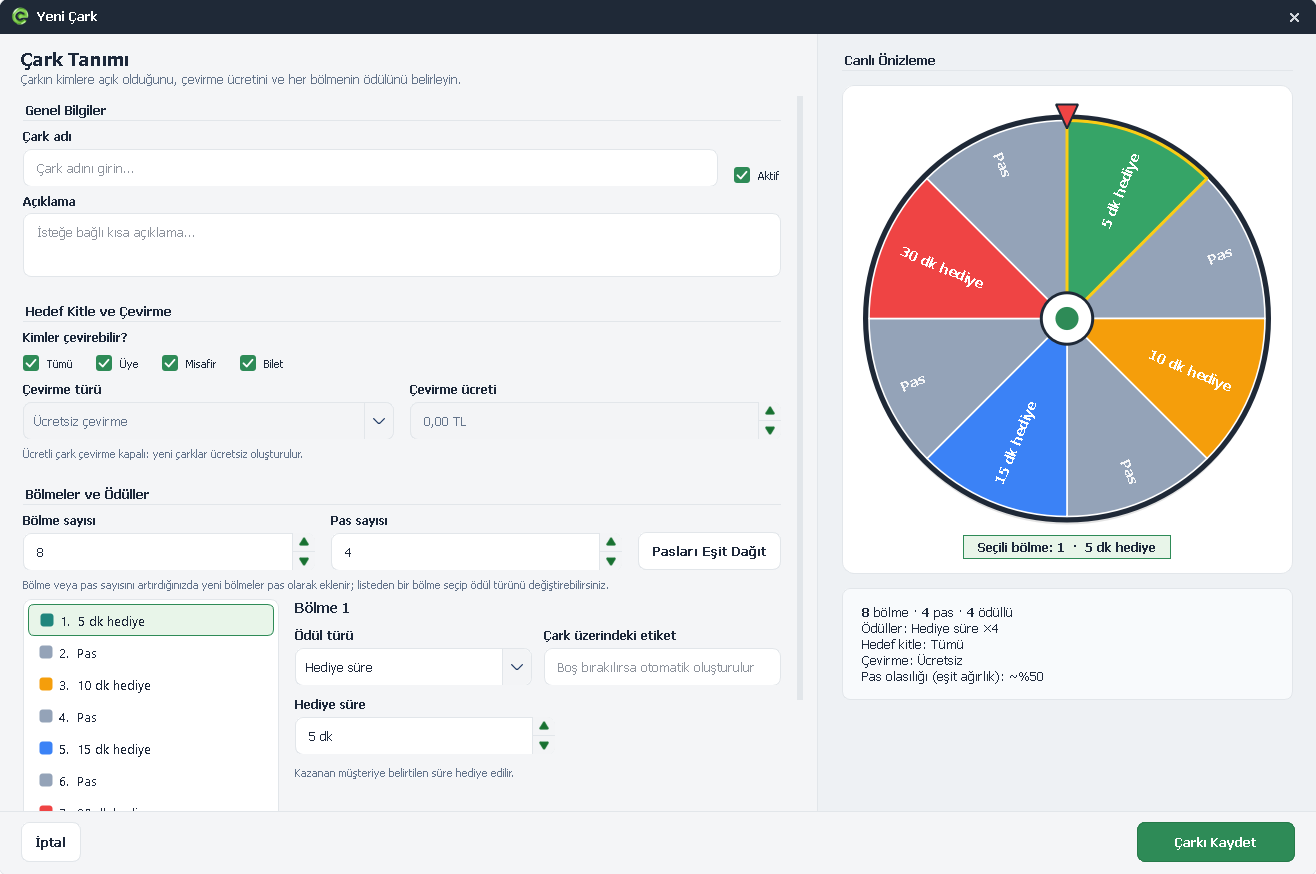
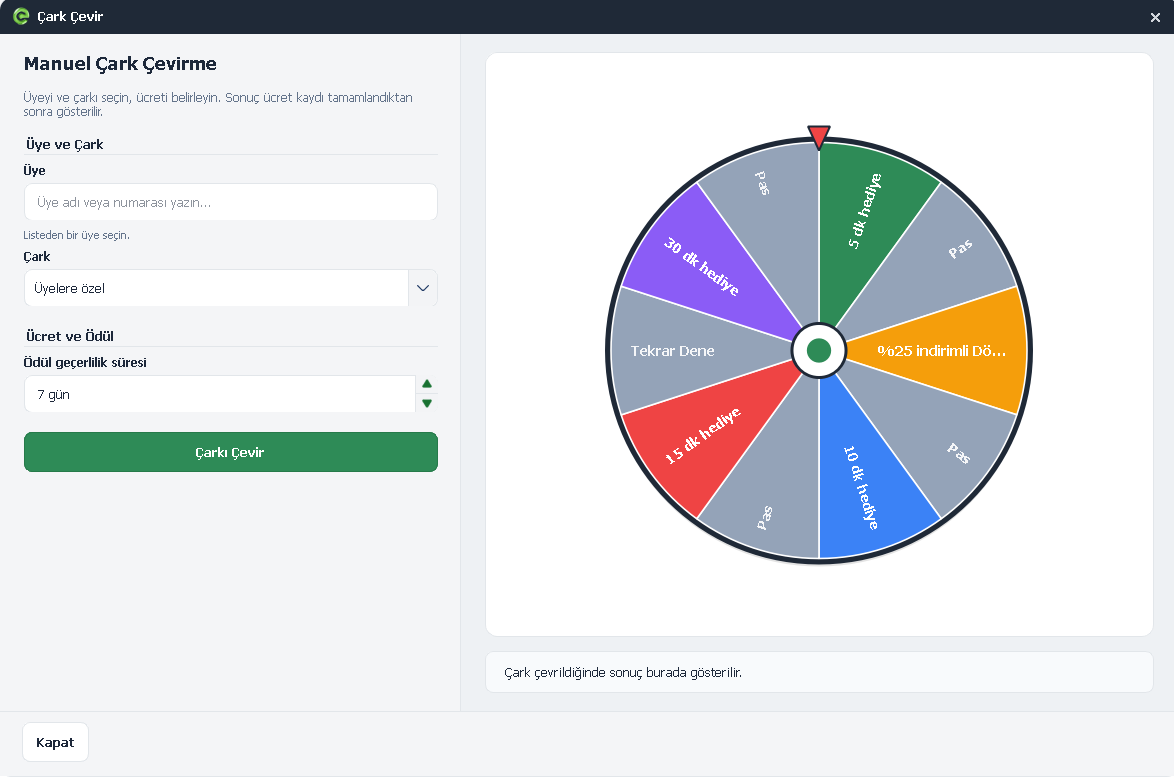
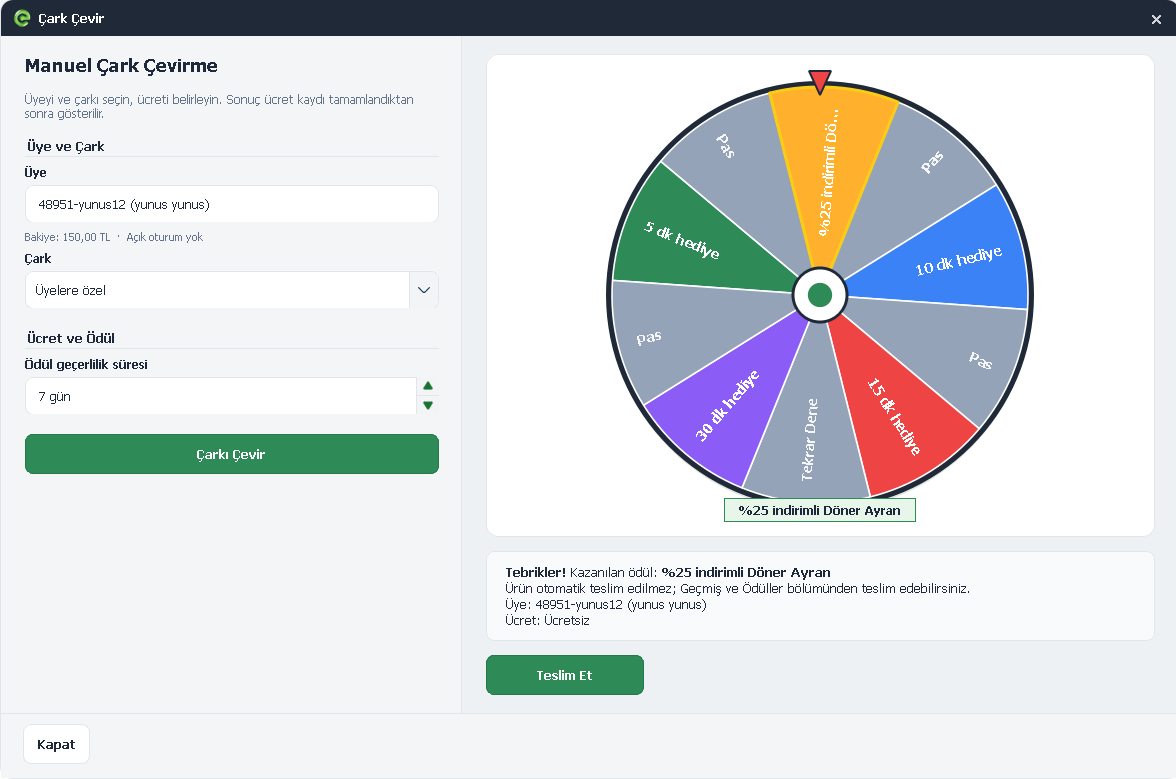
4. Prize Wheels Added
EveryCafe now lets you create prize wheels. You can grant spin rights to members and tables, and spin the wheels from Manager or Client. Earned rewards are credited to the relevant user.
Important: Due to legal regulations, this feature will only be enabled in countries where it is permitted. It will not be available in Türkiye.
 EveryCafe Smart Business Management Platform Version 1.0.239 Updates and Fixes
 EveryCafe Smart Business Management Platform Version 1.0.239 Updates and Fixes
 EveryCafe Smart Business Management Platform Version 1.0.239 Updates and Fixes
 EveryCafe Smart Business Management Platform Version 1.0.239 Updates and Fixes
 EveryCafe Smart Business Management Platform Version 1.0.239 Updates and Fixes
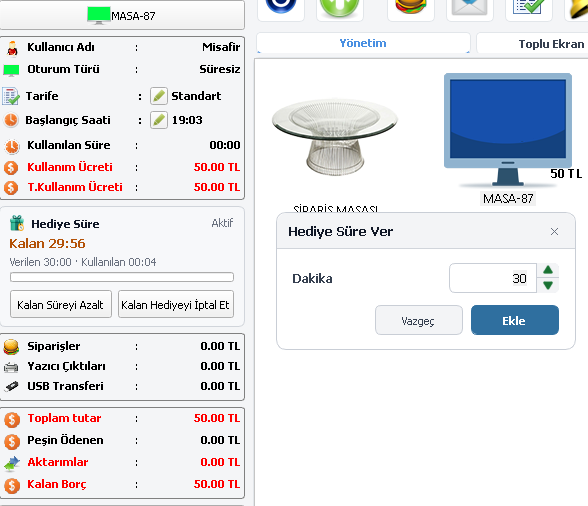
5. Bonus Time Added to Open-Ended Sessions
The bonus time system has been improved so bonus time can also be assigned to open-ended sessions.
 EveryCafe Smart Business Management Platform Version 1.0.239 Updates and Fixes
6. Steam Auto Sign-In Improved
When auto sign-in is enabled, Steam accounts assigned to computers now launch silently in the background at the start of a session, without opening the main Steam window.
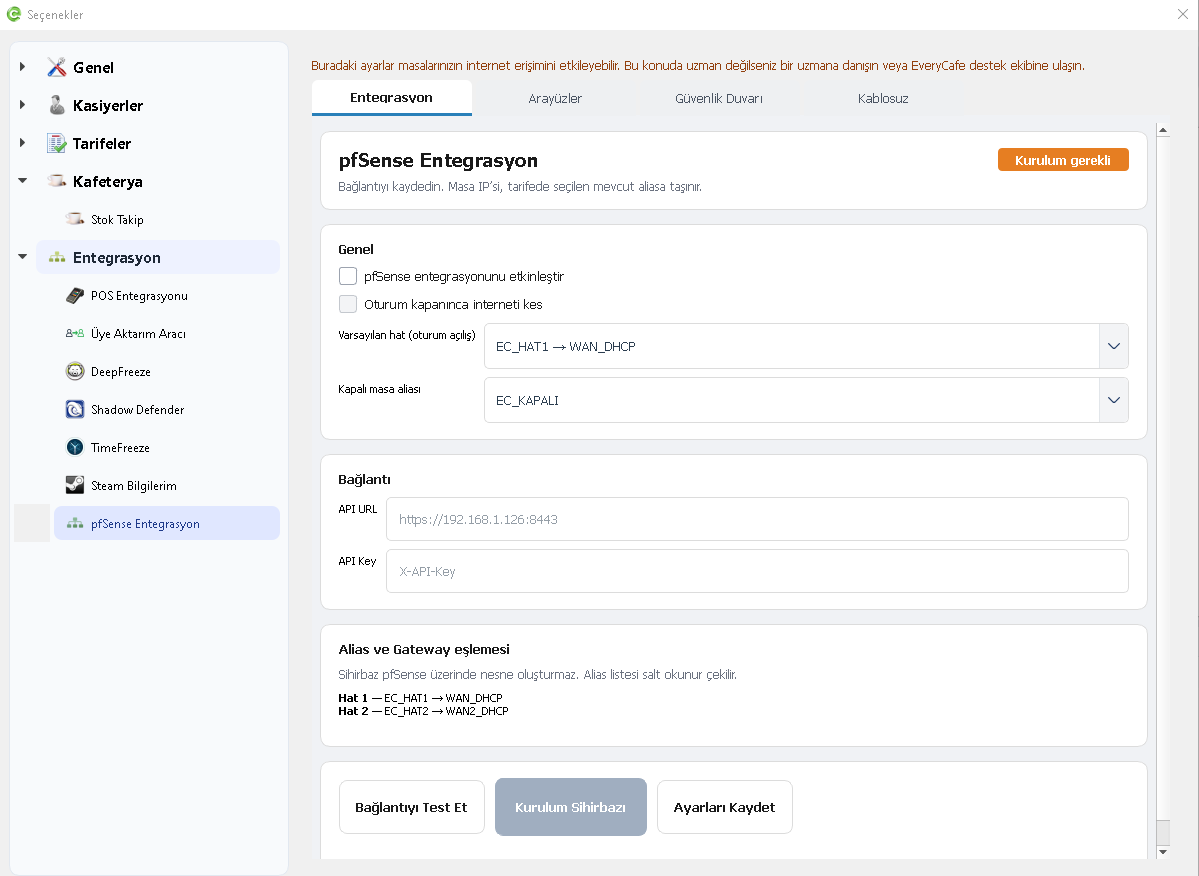
7. pfSense Integration Added
With pfSense integration, you can manage your business's internet connections through EveryCafe. Assign specific internet connections to computers and tariffs, and set bandwidth limits.
 EveryCafe Smart Business Management Platform Version 1.0.239 Updates and Fixes
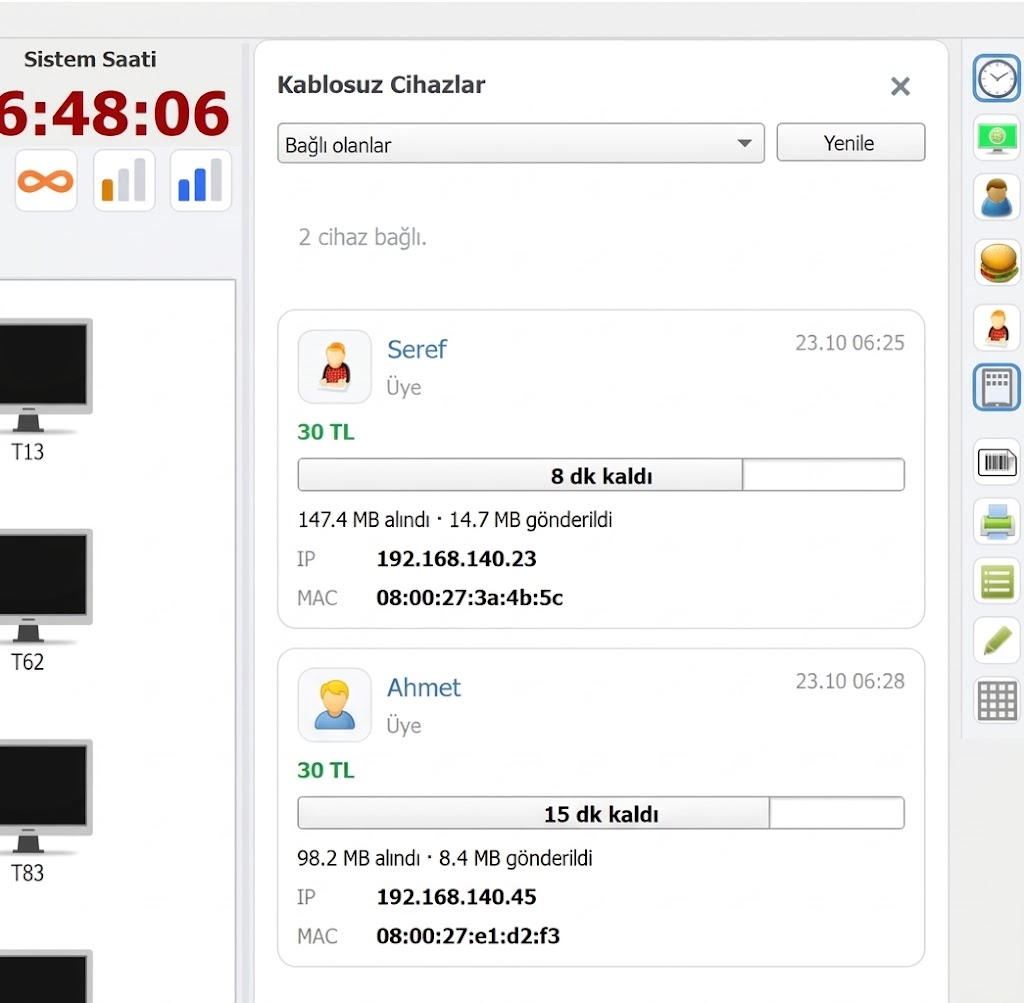
8. Wi-Fi Package Sales Added
As part of the pfSense integration, you can now sell Wi-Fi access to customers. Create packages with time or data limits and provide wireless internet access through those packages.
 EveryCafe Smart Business Management Platform Version 1.0.239 Updates and Fixes
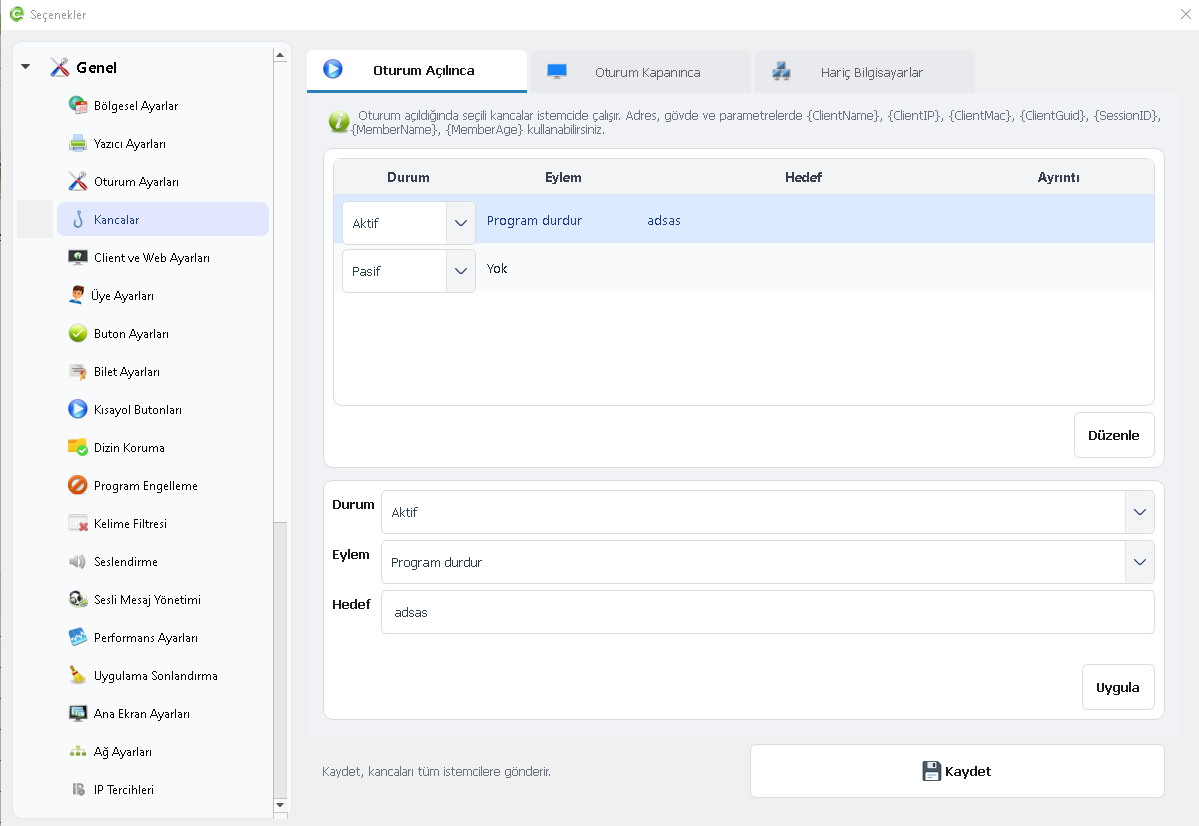
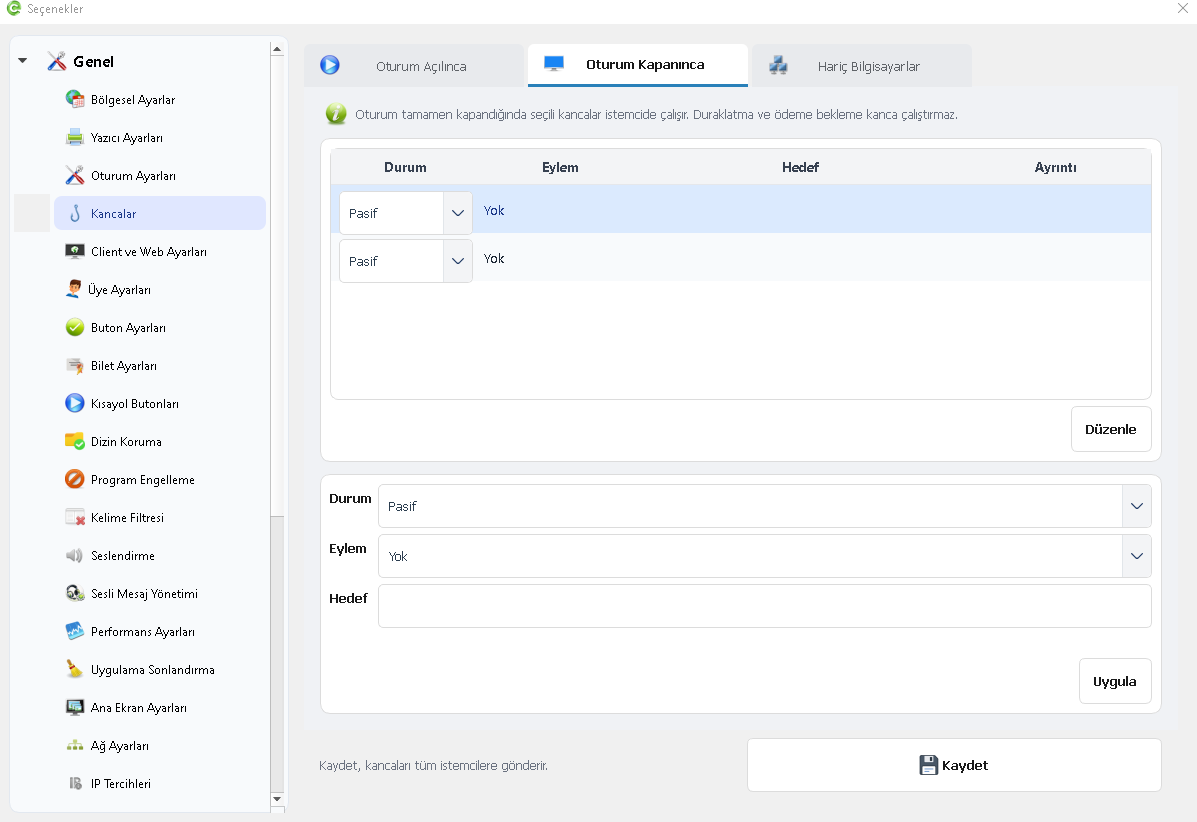
9. Session Start and End Hooks Added
Hooks let you automatically start or stop selected applications when a session begins or ends. For example, you can stop a background application when a session starts and restart it when the session closes.
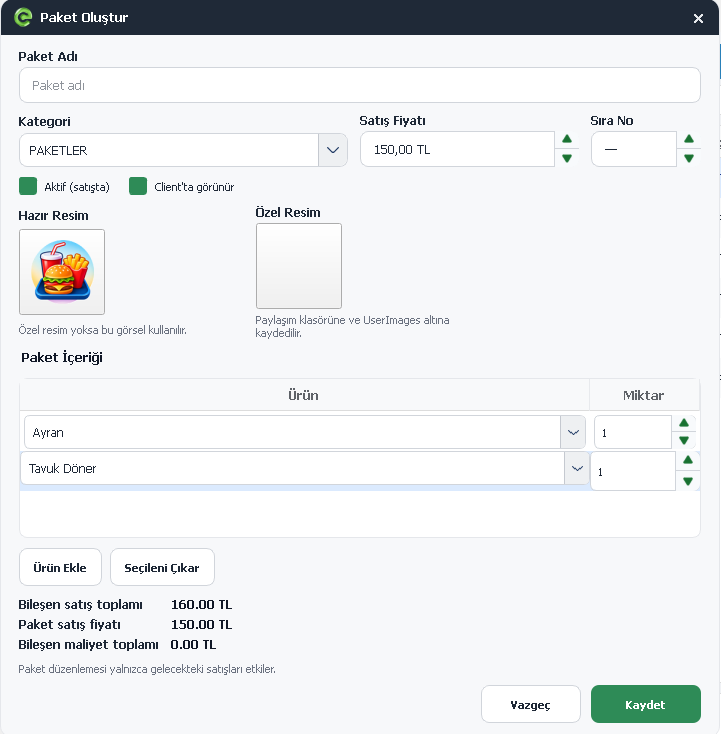
10. Product Bundles Added to Stock Management
You can sell multiple products as one bundle and set a bundle price. For example, create a meal with a burger, fries and a drink. When the bundle is sold, the included products are automatically deducted from stock.
 EveryCafe Smart Business Management Platform Version 1.0.239 Updates and Fixes
11. POS Integration and Payment Processing Improved
Prepaid sessions, member session payments and member balance top-ups can now be sent to a POS terminal. When credit card is selected for a balance top-up, the configured card processing fee is included in the transaction.
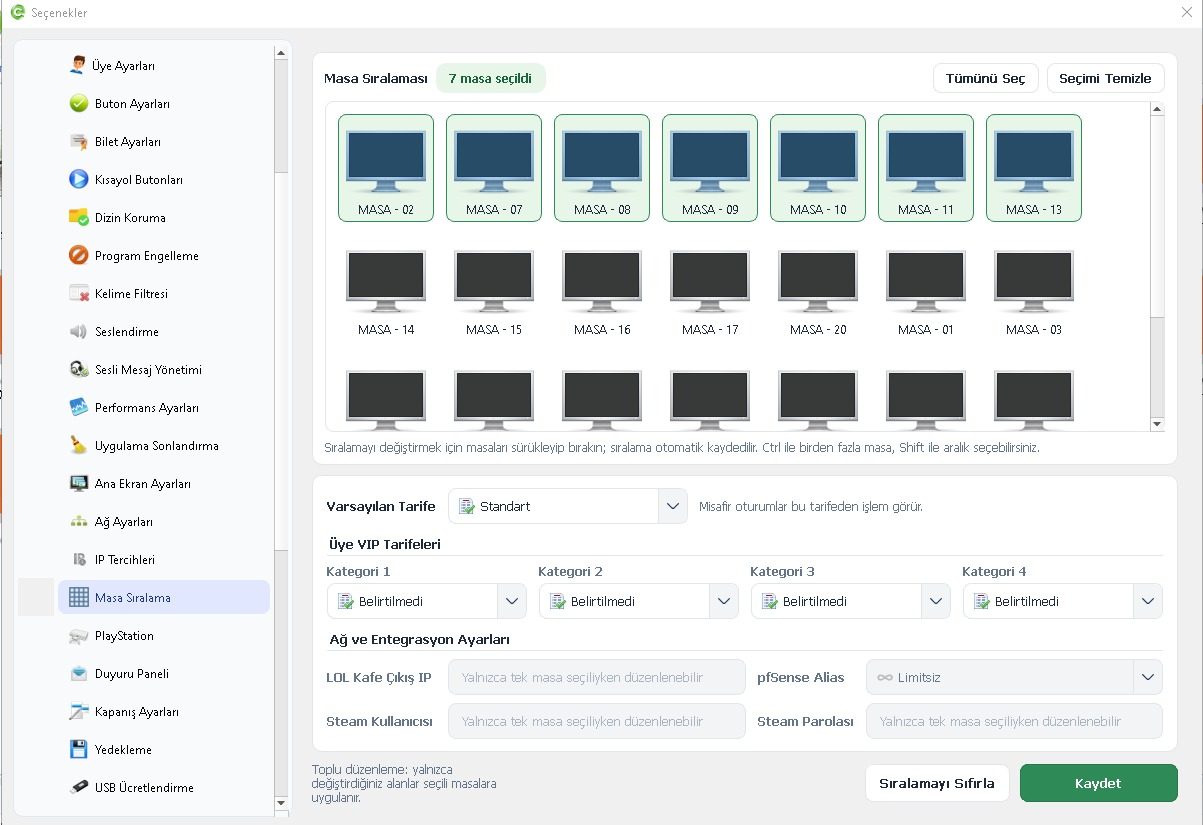
12. Tariffs by Member Category Added for Computers
The Computer Ordering screen has been redesigned, with an option to assign different VIP tariffs to computers based on member categories.
 EveryCafe Smart Business Management Platform Version 1.0.239 Updates and Fixes
13. Remaining Balance Added to Member Activity
A Remaining Balance field has been added to the Member Activity table. You can now view the balance after each transaction in the activity records.
14. Prepaid – Credit Card Option Added
A Prepaid – Credit Card option has been added when opening a prepaid session. You can now accept credit card payments as well as cash for prepaid sessions.
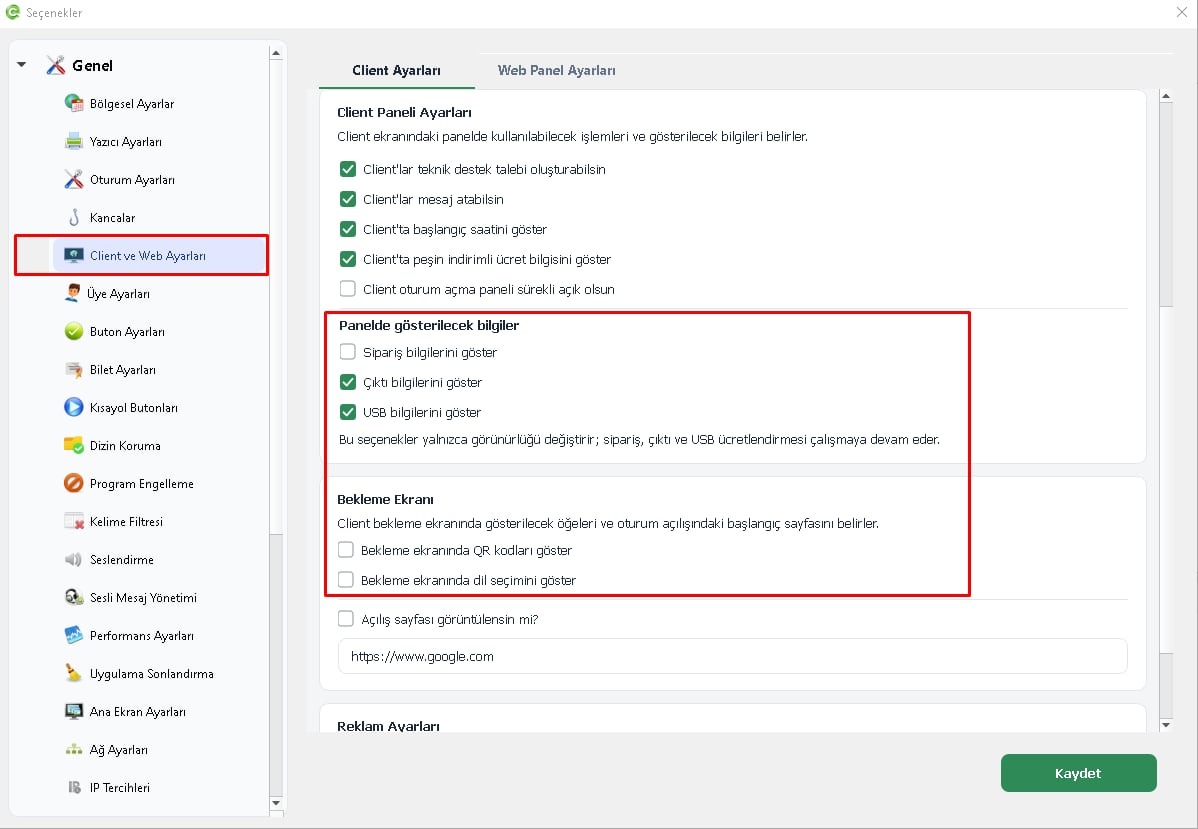
15. Client Panel and Waiting Screen Display Options Improved
You can now show or hide USB, Order and Printout information on the Client panel. These settings change visibility only; the corresponding operations continue to work.
The EveryCafe Go QR code and language selector on the Client waiting screen can also be shown or hidden as needed.
 EveryCafe Smart Business Management Platform Version 1.0.239 Updates and Fixes
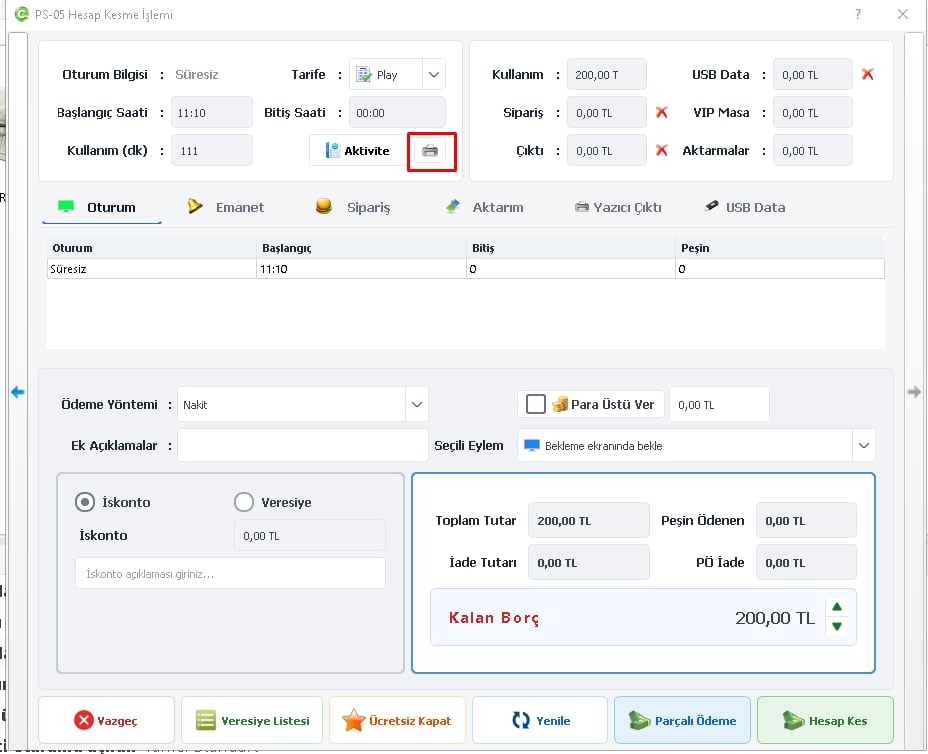
16. Print Option Added to Account Summary Screens
A Print button has been added to the Close Account screen and the Account Summary screens in reports.
You can now print session details and account summaries directly from these screens.
 EveryCafe Smart Business Management Platform Version 1.0.239 Updates and Fixes
17. EveryCafe Mining Added
EveryCafe now includes EveryCafe Mining which allows unused computers to be used for cryptocurrency mining while they are idle.
Mining can start automatically when no customer session is active on a computer. It stops when a customer session starts and can resume when the session ends.
Adjustments, Fixes and Optimizations
• Hugin POS integration compatibility and transaction reliability improved.
• Hourly tariff charging and calculation system improved.
• Summary Report calculation system improved.
• Various improvements made to Stock Management.
• Tiered tariffs removed.
• Member Settings and USB Billing menu positions changed.
• Member Settings and USB Billing pages redesigned.
• The previously used Steam account now signs in again after the computer restarts.
• Word filtering improved to strengthen controls against inappropriate content.
We continue to consider user suggestions and feedback as we improve EveryCafe.
You can share feedback, suggestions or issues with the new release through EveryCafe live support.